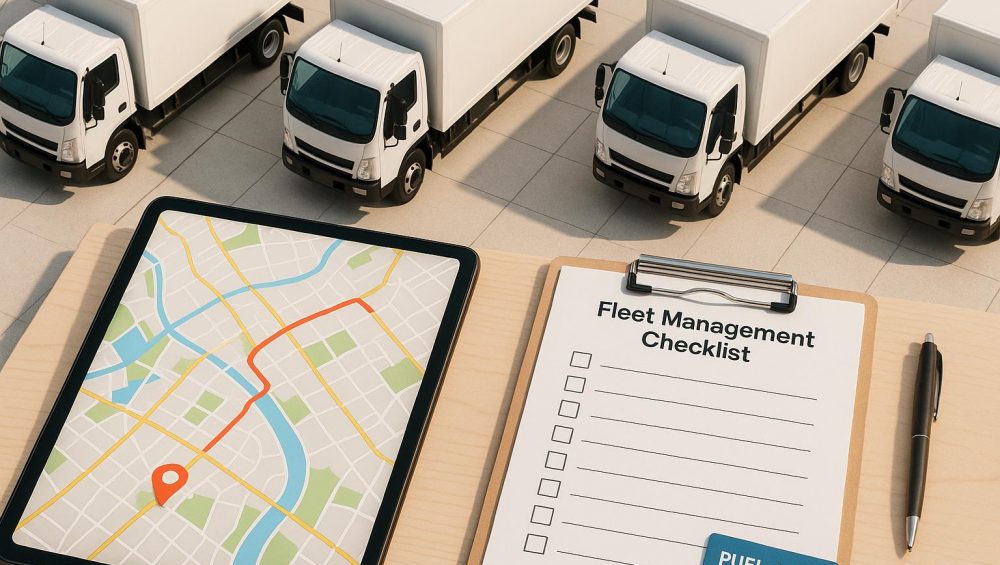
GPS tracking transforms how businesses manage routes and assets by providing real-time data for smarter decisions. It helps reduce drive time by up to 30%, lowers fuel costs by 10–30%, and cuts overall expenses by 20–40%. For fleets, this means saving money, improving efficiency, and enhancing safety. Key benefits include:
Real-time route adjustments: Respond to traffic, weather, or road closures instantly.
Fuel and cost savings: Optimized routes reduce wasted miles and idle time.
Enhanced asset security: Geofencing and live tracking protect trailers and equipment from theft with the best GPS tracker for trailer owners.
Better customer satisfaction: Accurate ETAs and live updates improve reliability and transparency.
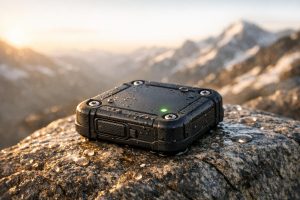
GPS trackers, like those from Piritiz, use 4G LTE networks for fast data updates and offer features like waterproof designs, 5-year battery life, and mobile app access. These tools integrate seamlessly with routing software, helping businesses monitor vehicles, trailers, and equipment while improving overall efficiency.
How GPS Tracking Works for Route Optimization
Real-Time Data Collection and Monitoring
GPS trackers work by using signals from Global Navigation Satellite Systems (GNSS), such as the U.S. NAVSTAR system. To pinpoint a location, the device connects with signals from at least four satellites and calculates its position using a method called trilateration. This involves measuring the time it takes for signals to travel from the satellites to the device, allowing it to determine an accurate 3D location.
Once the location is calculated, the tracker sends this data to a central server or cloud-based platform via 4G LTE cellular networks. Most modern trackers provide real-time updates while balancing power efficiency. Battery-powered GPS units are especially useful for trailers, as they don’t require hardwiring but still deliver continuous tracking.
For example, Piritiz offers trailer GPS tracking systems that are waterproof, wireless, and simple to install on various trailers or equipment. These devices feature up to 5 years of battery life and can be accessed 24/7 through a mobile app, making it easy to protect your assets – whether they’re parked at a depot or on the move.
Dynamic Data Integration for Routing
Real-time GPS data is a game-changer for dynamic route adjustments, especially when combined with external factors like traffic updates, weather conditions, and road closures. Routing software can integrate live feeds from traffic monitoring services and weather APIs to adapt routes on the fly, minimizing delays and ensuring efficiency . For instance, if a sudden road closure occurs, the system can instantly reroute drivers to avoid disruptions.
Historical GPS data also plays a crucial role in improving route planning. By examining past traffic trends – such as rush hour congestion or delays near school zones – routing algorithms can predict and plan around common bottlenecks. This proactive approach helps create more efficient initial routes and reduces unnecessary mileage.
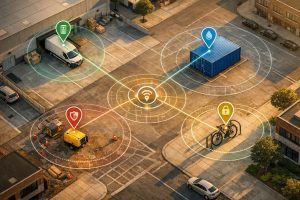
For fleets managing trailers and equipment, geofencing adds another layer of functionality. Managers receive alerts if a trailer moves outside a designated area, enhancing both theft prevention and operational readiness . Together, these features ensure that multi-stop routes are not only planned efficiently but also adapt seamlessly to real-world conditions.
sbb-itb-4827db2
Benefits of GPS-Enabled Route Sequencing
Improved Efficiency and Reduced Fuel Costs
Using GPS tracking systems can significantly cut down on wasted miles and improve the order of stops, leading to measurable savings. When routes adjust in real time to account for traffic and road conditions, driving time can drop by 20% to 30%. This reduction directly impacts fuel consumption, with fleets typically seeing fuel costs decrease by 10% to 30% after implementing GPS fleet management.
Additionally, these systems allow for real-time monitoring of driver behavior and idle times, which can lower fuel usage by up to 30% and cut idle time by as much as 40%. For example, idling at stops unnecessarily burns fuel, but identifying these patterns enables fleets to coach drivers for better habits. Considering that fuel expenses account for about 60% of a fleet’s overall operating budget, even small improvements can result in substantial cost reductions.
For trailers and equipment frequently moved between job sites, trailer GPS tracking systems offer critical visibility into asset usage. Companies like Piritiz provide waterproof, wireless GPS trackers for trailers, boasting up to 5 years of battery life. These devices make it easy to monitor both powered and unpowered assets. With precise tracking, fleets can reduce unauthorized movements, curb unnecessary mileage, and improve overall efficiency. Beyond operational benefits, these systems also enhance security and driver safety by keeping assets where they belong.
Better Driver and Asset Safety
Real-time GPS tracking plays a vital role in securing high-value assets, especially trailers and equipment left unattended at job sites or depots. With equipment thefts rising by over 30% since 2022, theft prevention has become more critical than ever. Trailer GPS trackers provide continuous location updates and instant alerts if unauthorized movement is detected.
Geofencing adds another layer of protection by creating virtual boundaries around specific areas like depots or job sites. If a trailer moves outside these zones during off-hours, managers receive immediate alerts via SMS or mobile apps, allowing for swift action with exact location details.
Monitoring driver behavior also improves safety. Tracking patterns like speeding and harsh braking can enhance safety scores by 30% to 50%, giving managers the opportunity to provide timely coaching. Some systems even offer real-time crash notifications, enabling faster emergency responses to precise locations.
On top of that, GPS systems can track engine diagnostics and mileage, sending maintenance alerts before mechanical issues arise. This proactive approach not only keeps vehicles in peak condition but also reduces maintenance costs by 15% to 25%. As Verizon Connect emphasizes, "By not tracking your most important equipment, you could be putting your business and employees at risk".
Increased Customer Satisfaction
Better route sequencing and enhanced safety measures don’t just protect assets – they also lead to happier customers. Accurate delivery windows foster trust, and GPS tracking makes this level of precision achievable. Instead of providing vague timeframes, dispatchers can share real-time ETAs that adjust automatically based on traffic or other delays. If a driver hits unexpected congestion, the system recalculates arrival times instantly, keeping customers informed without the need for manual updates.
Live tracking features further boost transparency. Customers can see real-time driver locations and updated ETAs, reducing the stress of waiting and cutting down on "Where’s my delivery?" calls.
Flexibility is another key advantage. GPS tracking allows routes to adapt to changing conditions, improving reliability. Andy Yearout, Senior Vice President of Supply Chain at Mohawk Industries, shared how GPS tracking transformed their operations: "Samsara enabled conversations with drivers about route deviations. We learned our plan wasn’t always correct based on external factors… so drivers would adjust their route in real time". This adaptability ensures that commitments are met even when challenges arise. For fleets using trailer GPS systems, the added visibility ensures that the right trailer is available exactly when and where it’s needed, further enhancing customer satisfaction.
Implementing GPS Tracking for Route Sequencing
Choosing the Right GPS Tracking Device
When selecting GPS tracking devices, it’s important to match them to your operational needs. Battery-powered devices are portable and ideal for rental fleets or trailers that are frequently swapped. On the other hand, hardwired devices provide continuous tracking without the hassle of battery maintenance, making them better suited for high-volume fleets that need round-the-clock visibility.
Durability is another key consideration, especially for trailer tracking systems. Devices with IP65 or IP67 ratings can handle harsh conditions like rain, snow, extreme temperatures, and constant road vibrations. For installation, you have several options: magnetic mounts for quick deployment, DIY screw-on kits for semi-permanent setups, or professional embedded installations for maximum security against tampering. To minimize theft risks, place trackers in discreet locations such as inside the trailer frame, under the tongue, or behind a wheel well.
Connectivity also plays a crucial role. Devices with 4G LTE technology transmit data up to 10 times faster than older 3G models, ensuring accurate real-time updates for route sequencing. Companies like Piritiz offer durable GPS trackers with features like extended battery life (up to five years), waterproof construction, and 24/7 tracking via mobile apps. These tools are suitable for both powered vehicles and unpowered trailers, making it easier to integrate with route optimization software.
Integrating GPS with Route Optimization Software
Once you’ve chosen the right devices, the next step is integrating them with routing software to allow real-time adjustments. Using open APIs, you can overlay GPS data onto your existing software, creating a seamless workflow for dispatchers. This integration helps compare planned routes with actual driver paths, revealing inefficiencies and areas for improvement.
Another powerful tool is geofencing, which creates virtual boundaries around depots, job sites, and customer locations. These zones automate notifications for arrivals and departures, enhancing dispatch accuracy and keeping customers informed without manual intervention. Additionally, mobile app integration ensures that both drivers and managers receive real-time updates on routes and estimated times of arrival (ETAs).
A real-world example comes from Mohawk Industries, which used Samsara Fleet Telematics to improve their first-mile fleet operations. Covering five million miles annually in Georgia, they identified route deviations and adjusted plans based on external factors like customer delivery windows. This approach reduced their total mileage by 4.2 million miles, saving over $7.75 million annually.
"Samsara enabled conversations with drivers about route deviations. We learned our plan wasn’t always correct based on external factors, like customer delivery windows, so drivers would adjust their route in real time." – Andy Yearout, Senior Vice President, Supply Chain, Mohawk Industries
Training Staff and Monitoring Performance
Successful GPS tracking implementation goes beyond technology – it requires a well-trained team and consistent performance monitoring. Clearly communicate the benefits to your staff, emphasizing how GPS tracking enhances safety, reduces paperwork, and simplifies their work instead of framing it as a surveillance tool. Provide both drivers and dispatchers with mobile app access so they can view routes, ETAs, and performance metrics in real time.
Dispatchers should be trained to leverage live location data for dynamic routing, allowing them to adjust routes in response to traffic, weather, or canceled orders instead of sticking to static daily plans. For drivers, consider introducing a scoring system to monitor behaviors like speeding, hard braking, and rapid acceleration. This helps identify risky habits early and promotes safer driving. For instance, Midwest Respiratory and Rehab saw an 80% reduction in safety incidents after adopting fleet management technology.
To prevent tracking gaps and ensure timely interventions, configure automated alerts for events like geofence breaches, speeding, unauthorized movement, and low battery levels. Use historical data to spot trends, such as consistently delayed routes or top-performing drivers, and refine your route sequencing strategies over time.
How Route Optimization Boosts Fleet Revenue by $700K
Measuring Success with GPS Tracking
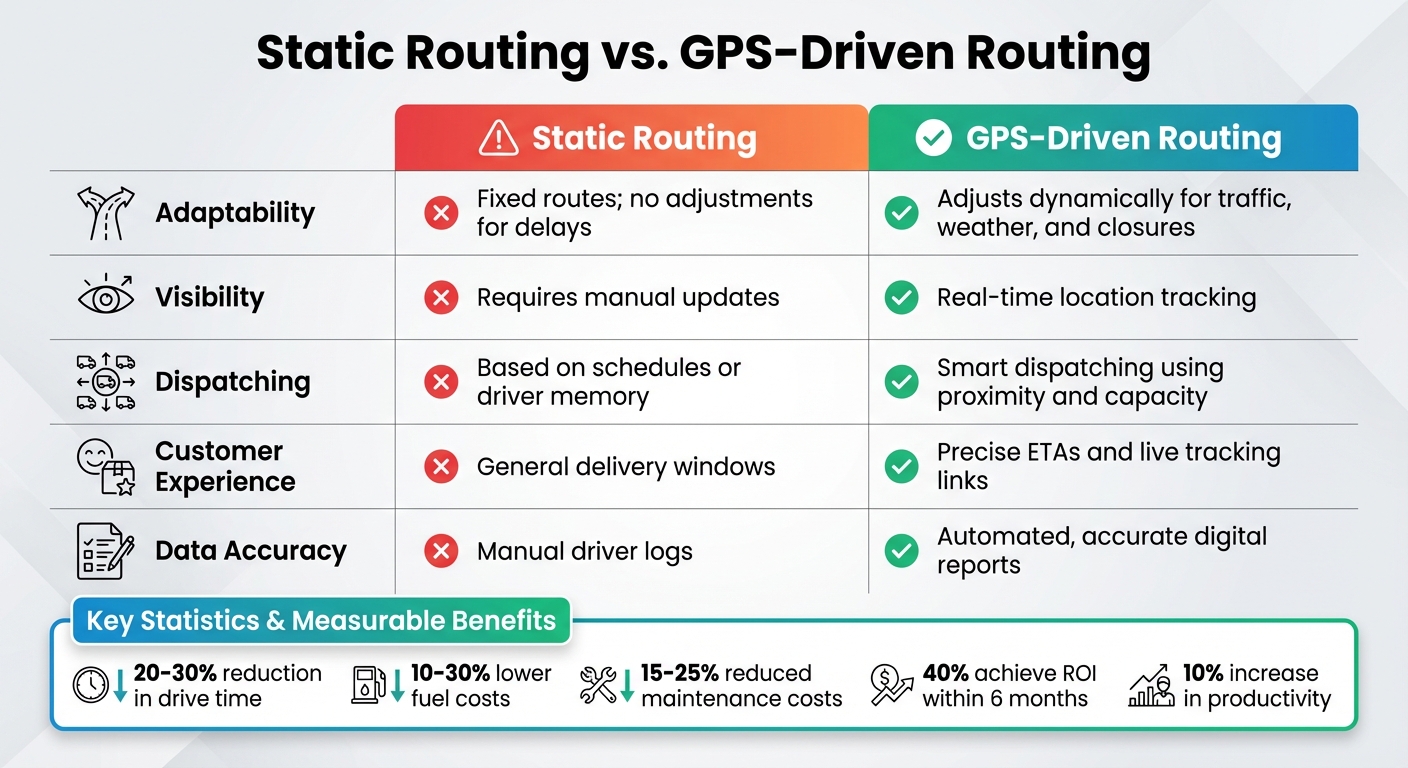
Static vs GPS-Driven Routing: Key Differences and Benefits
Key Metrics to Track
To measure the impact of GPS tracking, focus on metrics like fuel consumption, delivery times, and asset utilization. Fuel alone accounts for about 60% of a fleet’s operating costs, so even small improvements in routing or reducing idle time can lead to major savings. Delivery and arrival times, along with the accuracy of estimated time of arrival (ETA), are crucial for assessing how well your routes align with customer expectations. Asset utilization, which compares active work time to idle time, helps determine whether vehicles and trailers are being used effectively.
Another critical metric is dwell time, which identifies delays caused by unscheduled stops or customer-related issues, offering insights into productivity. Job completion data also reveals gains in efficiency – many companies report up to a 10% boost in productivity after adopting GPS tracking. Additionally, geofencing technology sends alerts when vehicles approach their destinations, streamlining operations by allowing teams to prepare shipments and reduce driver wait times.
"By providing increased visibility into fleet operations, GPS tracking gives you more information about your vehicles so you can make more impactful decisions for the business and its bottom line." – Samsara
A great example of real-world results comes from Flying Star Transport. After implementing GPS tracking and geofencing, they reduced their average time per load on a 130-mile haul from five hours to four hours on a 120-mile haul – a 15% improvement in efficiency. Furthermore, 40% of businesses report achieving a return on investment within six months of implementing GPS tracking, with another 35% seeing ROI within 7 to 12 months.
These metrics demonstrate how GPS tracking transforms static planning into dynamic, performance-focused routing.
Static Routing vs. GPS-Driven Routing
When comparing traditional static routing to modern GPS-driven methods, the advantages of GPS tracking become clear. Static routing relies on manual planning and doesn’t adapt to real-time conditions, while GPS-driven systems adjust dynamically to factors like traffic, weather, and road closures. Analyzing planned routes against GPS-recorded paths can uncover inefficiencies and trends that static methods often miss.
Feature
Static Routing
GPS-Driven Routing
Adaptability
Fixed routes; no adjustments for delays
Adjusts dynamically for traffic, weather, and closures
Visibility
Requires manual updates
Real-time location tracking
Dispatching
Based on schedules or driver memory
Smart dispatching using proximity and capacity
Customer Experience
General delivery windows
Precise ETAs and live tracking links
Data Accuracy
Manual driver logs
Automated, accurate digital reports
This comparison highlights how GPS technology elevates route planning from rigid schedules to flexible, efficient operations. Historical GPS data can also reveal inefficiencies or unusual activities that static routing might overlook. Moreover, GPS-driven scheduling often allows fleets to handle more deliveries without increasing the number of vehicles.
These benefits apply across various fleet types. Whether you’re tracking trailers with dedicated GPS tracking devices or monitoring other fleet vehicles, leveraging accurate, real-time data is key to optimizing routes and improving overall efficiency.
Conclusion
GPS tracking has revolutionized route planning, turning rigid schedules into adaptable, data-driven processes. This shift has led to noticeable improvements in drive times, fuel consumption, and maintenance expenses, with many organizations seeing a full return on investment within 12 to 18 months.
But it’s not just about cutting costs. GPS tracking also boosts operational security and agility. Real-time updates allow for smarter dispatch decisions based on driver location and capacity, while geofencing technology can reduce unauthorized vehicle use by up to 95%.
For businesses managing trailers and equipment, specialized trailer GPS tracking systems provide critical insights. With nearly 6 million trailers in operation across the U.S. – and trailers outnumbering trucks three to one – knowing exactly where each asset is can eliminate wasted time searching for equipment and improve utilization rates by 15–35%. The growing need for accurate trailer tracking underscores the importance of dependable solutions.
Piritiz offers tailored GPS tracking devices for trailers, vehicles, and equipment. These battery-powered, waterproof devices provide up to five years of battery life and 24/7 tracking through a user-friendly mobile app. Plus, they come with flexible, competitive pricing to suit different business needs.
FAQs
How does GPS tracking help fleets save on fuel costs?
Fleet managers can cut down on fuel expenses by using GPS tracking to streamline routes, reducing unnecessary mileage and fuel consumption. The system also offers real-time insights to help limit idle time, keep an eye on driver habits like speeding or aggressive driving, and send alerts for maintenance issues that can waste fuel – think underinflated tires or engine troubles.
With these tools in place, fleets can save as much as 30% on annual fuel costs, making GPS tracking a practical choice for improving efficiency and managing expenses effectively.
What features should I look for in a GPS tracker to improve route optimization?
When selecting a GPS tracker to improve route planning, prioritize tools that deliver precise, real-time data and practical insights. A tracker with live location tracking is essential, allowing you to monitor trailers in real time and quickly adjust routes when necessary. Geofencing features are equally important, enabling you to set virtual boundaries and receive alerts when a trailer crosses those limits – helpful for avoiding theft or unplanned detours.
If you manage multi-stop routes, consider a tracker with built-in route planning and optimization tools. These can help determine the best stop sequences, estimate travel times, and adjust for delays. Durability is another key factor – look for a waterproof, wireless device with a battery life of up to five years to ensure it can withstand tough conditions. Finally, an easy-to-use mobile app or web dashboard simplifies route management, provides analytics, and helps streamline operations.
How does real-time GPS tracking improve delivery services and customer satisfaction?
Real-time GPS tracking transforms delivery services by offering precise, up-to-the-minute location updates and estimated arrival times. This means dispatchers can keep customers informed with accurate ETAs and notify them of any unexpected delays, fostering trust through transparency.
By providing consistent updates and streamlining route sequencing, businesses can operate more efficiently, cutting delivery times and enhancing the customer experience. GPS tracking also plays a key role in optimizing multi-stop delivery routes, minimizing delays and boosting the overall quality of service.
Managing a small fleet can be challenging, but GPS tracking simplifies it. Whether you’re preventing theft, improving efficiency, or cutting costs, GPS trackers offer solutions tailored to your needs. Here’s what you need to know:
Theft Prevention: GPS trackers with geofencing and motion alerts help recover stolen trailers quickly. In 2020, over 22,000 trailers were stolen in the U.S., costing billions. Some providers claim 100% recovery rates for tracked assets.
Efficiency Gains: Trackers identify idle vs. active trailers, optimize routes, and cut fuel costs by 15–20%. Automated maintenance reminders prevent breakdowns and keep your fleet running smoothly.
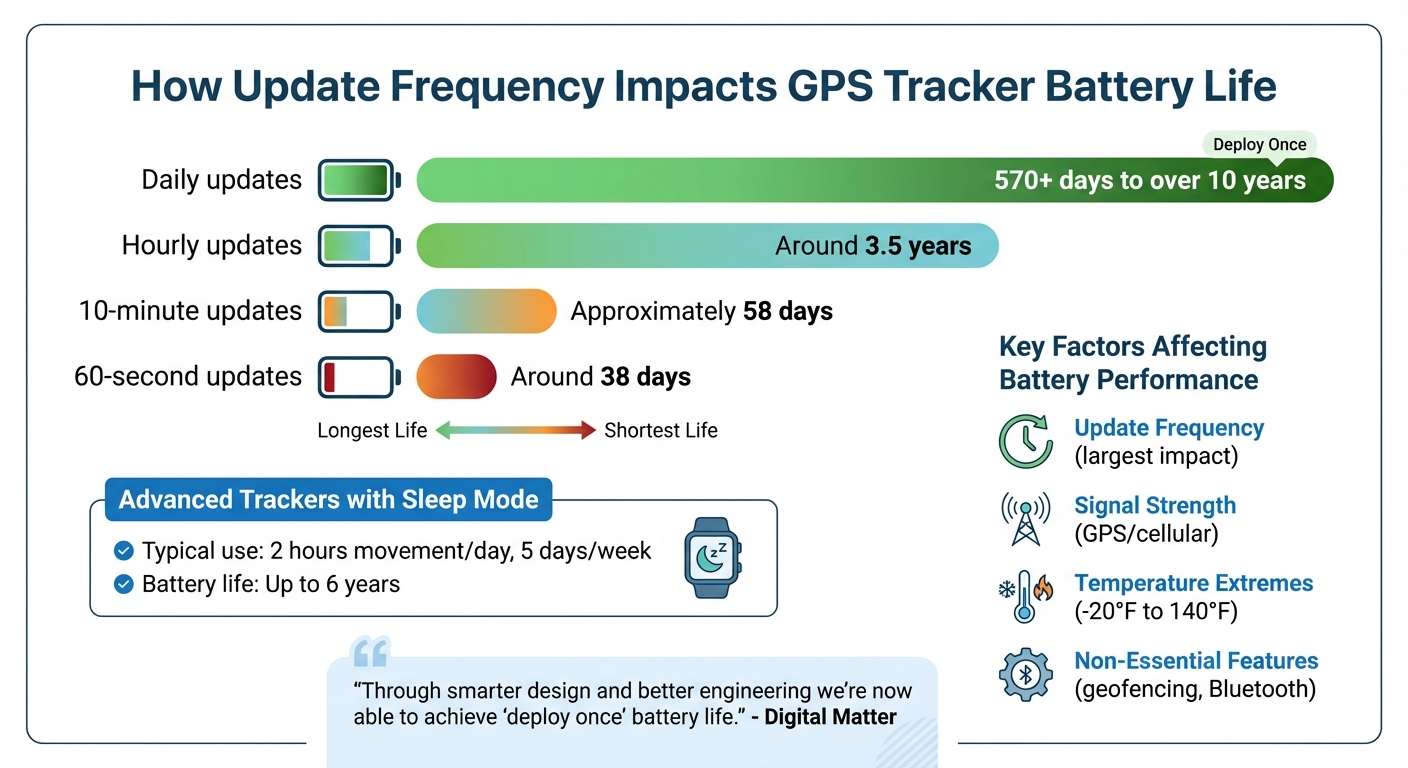
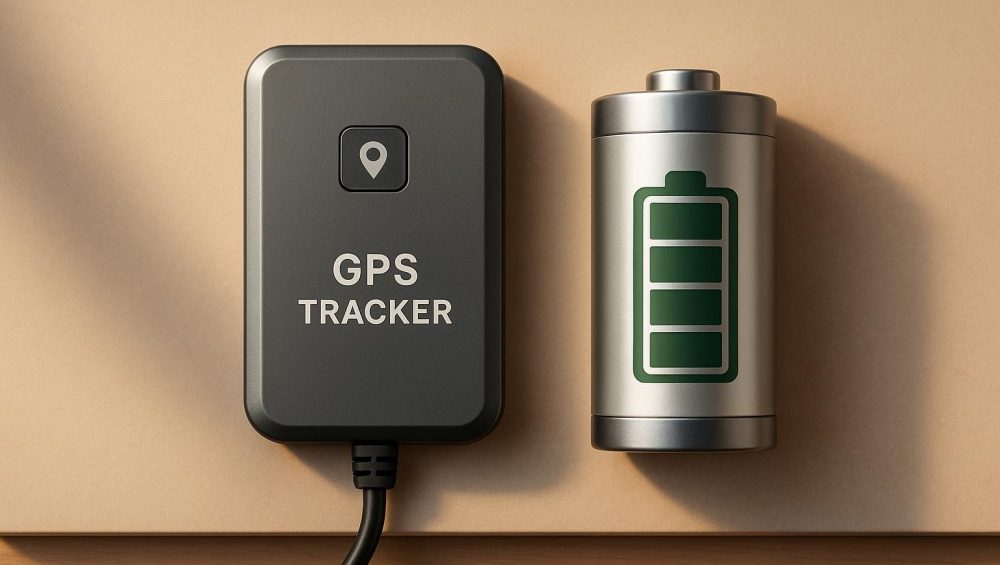
Battery Life: Update frequency impacts battery life. Daily updates can last over 10 years; real-time updates every 60 seconds may last 38 days. Advanced trackers use sleep modes to extend battery life.
Tracker Options:
Battery-Powered: Ideal for unpowered assets like trailers. Easy to install and portable but requires periodic battery checks.
Hardwired: Powered by a vehicle’s electrical system, perfect for constant real-time tracking without recharging.
Choose a tracker with features like real-time alerts, weatherproof design, and easy installation to secure and monitor your fleet effectively. Whether it’s battery-powered for flexibility or hardwired for continuous updates, GPS tracking ensures your assets are always accounted for.
GPS Tracking for Small Fleets $199 yr OBD. Save $50 off first year. Sale ends 12/31/24. Limited Qty
sbb-itb-4827db2
Battery Life in GPS Trackers
GPS Tracker Battery Life by Update Frequency Comparison Chart
Battery life isn’t just another feature – it’s a cornerstone of reliability. For small fleet operators, a GPS tracker that constantly needs recharging can cause unnecessary downtime, increase labor costs, and leave gaps in tracking coverage.
Let’s break down how long these batteries last and what factors can influence their performance.
How Long Does a Trailer GPS Tracker Battery Last?
The lifespan of a trailer GPS tracker battery depends heavily on how often it updates its location. For example, a tracker set to send updates once a day can last over 10 years on a single battery. But if that same tracker is configured for real-time updates every 60 seconds, the battery might only last about 38 days .
Here’s a quick look at how update frequency impacts battery life:
Update Frequency
Battery Life Range
Daily updates
570+ days to over 10 years
Hourly updates
Around 3.5 years
10-minute updates
Approximately 58 days
60-second updates
Around 38 days
Some advanced trackers are designed to conserve power by switching to a sleep mode when idle. When movement is detected, they activate high-frequency tracking. Under typical use – about 2 hours of movement per day, 5 days a week – this setup can extend battery life to roughly 6 years.
"Through smarter design and better engineering we’re now able to achieve ‘deploy once’ battery life, significantly reducing operating costs and enabling deployments at scale." – Digital Matter
For small fleet operators, this means you can install a tracker and forget about it for years, avoiding the hassle of frequent battery replacements or maintenance – even in tough weather conditions.
What Affects GPS Tracker Battery Performance?
Several factors influence the battery life of a GPS tracker beyond just update frequency:
Update Frequency: This is the biggest factor. Each time the tracker calculates its position and sends data through the cellular network, it uses power. Short update intervals significantly drain the battery .
Signal Strength: Poor GPS or cellular signal can drain the battery faster, especially if the tracker is placed inside a thick metal enclosure. Positioning it near windows or within plastic casings can help maximize battery efficiency.
Temperature Extremes: Batteries perform poorly in extreme temperatures. Anything below –20°F or above 140°F can degrade battery capacity and slow its performance. Most high-quality trackers use Lithium Thionyl Chloride (LTC) batteries, which are better suited for extreme conditions and have lower self-discharge rates .
Non-Essential Features: Features like geofencing, Bluetooth, or high-frequency impact detection can drain the battery unnecessarily. Disabling these features and opting for less frequent updates – like daily or hourly instead of real-time tracking – can stretch battery life from weeks to years, especially for static assets like parked trailers.
Battery-Powered vs. Hardwired GPS Trackers
Choosing the right GPS tracker for your fleet involves weighing ease of installation against the need for uninterrupted tracking. Both battery-powered and hardwired options have their strengths, depending on your specific needs.
Benefits of Battery-Powered GPS Trackers
Battery-powered GPS trackers are perfect for unpowered assets like trailers, shipping containers, and equipment. These trackers are easy to install using built-in magnets or industrial adhesives, making them portable and quick to deploy. This flexibility allows for seamless reallocation between assets, which is especially useful for rental fleets. Another advantage? Their lack of wiring makes them harder to spot and tamper with, allowing for discreet placement in spots like frame rails, behind wheel wells, or under the trailer tongue.
In a real-world example from September 2025, James R., a contractor from Ohio, successfully recovered his stolen trailer and tools. Thanks to a battery-powered tracker housed in a magnetic case under the frame, he received an instant motion alert and was able to provide the police with GPS coordinates. The trailer was found two towns away, fully intact.
"My trailer was stolen from a job site overnight. Because I had the Spark Nano installed in a magnetic case under the frame, I got an alert the second it moved. I gave the police the GPS coordinates, and they found it two towns over, with all my tools still inside." – James R., Contractor in Ohio
While these trackers are highly convenient, they do require regular battery checks. Monitoring and occasionally recharging or replacing batteries is a necessary trade-off for their portability and ease of use.
When to Use Hardwired GPS Trackers
Hardwired GPS trackers connect directly to a vehicle’s electrical system – whether through tail lights, an OBD-II port, or the battery – ensuring a constant power supply. This eliminates the need for manual charging, making them ideal for fleet vehicles like trucks, vans, or powered machinery that are frequently in motion.
With continuous power, hardwired trackers excel at real-time tracking. They can provide updates every 5 to 60 seconds, delivering precise details about location, speed, and even engine diagnostics. This level of detail is invaluable for delivery fleets or vehicles carrying high-value cargo.
Installation is straightforward, often taking less than 15 minutes with quick-connect kits. Once installed, these devices require little maintenance, making them a reliable "set-and-forget" solution. Some hybrid models even feature a backup battery, allowing them to operate for 7 to 10 days after being disconnected from the primary power source, such as when a trailer is unhitched.
"The waterproof fleet tracker will run off the power of trailer tail lights or limited power source… when it’s disconnected from the hauler, it still has power [via backup battery]." – GPS and Track
For fleets that need constant updates without the hassle of recharging, hardwired trackers are the way to go. However, for assets like unpowered trailers or equipment used less frequently, battery-powered trackers offer a simpler and more cost-effective solution.
Key Features in GPS Trackers for Small Fleets
Managing a small fleet comes with its own set of challenges, and having the right GPS tracker can make a world of difference in keeping your assets secure. But not all trackers are created equal. Knowing the key features to look for can help you make an informed decision and maximize your investment.
Real-Time Tracking and Alerts
Real-time tracking provides updates every 3 to 5 seconds, giving you precise location data and enabling quick action in the event of theft. Features like geofencing and motion alerts add an extra layer of security by keeping you informed of any unauthorized activity.
With geofencing, you can set virtual boundaries around key locations, such as job sites, depots, or parking areas. If a trailer crosses those boundaries during off-hours, you’ll receive an immediate alert, allowing you to act fast.
Motion detection alerts are another safeguard, notifying you when an asset moves without permission. This is particularly useful for contacting law enforcement, as you can provide exact GPS coordinates for recovery.
Some advanced trackers also include a theft recovery mode. When activated, this mode switches to high-frequency updates, delivering second-by-second location data to help recover stolen assets quickly. Additional alerts for overspeeding, impacts, and low battery levels further enhance safety and help you stay ahead of maintenance needs.
These features form the backbone of a strong asset management system, ensuring your fleet remains secure and efficient.
Durability and Weatherproof Design
Trailers often face tough conditions – rain, snow, dust, mud, extreme temperatures, and constant vibrations. A GPS tracker built to handle these challenges is essential for reliable performance and asset protection.
Look for devices with IP67 or IP68 ratings. IP67-rated trackers can resist dust and temporary water immersion, while IP68 models offer even greater protection against harsh environments.
Temperature tolerance is another critical factor. High-quality trackers can operate reliably in a wide range – from -22°F to 140°F – ensuring they perform consistently whether it’s the heat of summer or the dead of winter.
Impact resistance is also key. Many premium trackers come with an IK06 rating, designed to withstand physical shocks. Rugged housings with built-in antennas further protect the device from road debris and rough handling. This durability ensures that your tracker keeps working, even in the most demanding conditions.
"Rain, dust, and extreme temperatures can damage trailer GPS trackers. A weatherproof, rugged device ensures reliability in any environment." – LandAirSea
Easy Installation and Portability
For small fleets, ease of installation is a must. A tracker that’s quick to deploy minimizes downtime while offering flexibility for various assets. Portable, battery-powered designs with versatile mounting options make setup fast and hassle-free.
Many portable trackers can be attached using magnets, adhesives, or cable ties, making them compatible with both metal and non-metal surfaces. This flexibility allows you to move the tracker between different assets as needed. Discreet installation options, like mounting on frame rails or behind wheel wells, also help protect the device from tampering.
Most modern trackers feature a plug-and-play design, requiring no wiring or special tools. Simply charge the device, activate it through a mobile app, and mount it in place. Many models are ready to go in under 60 seconds, making them ideal for small fleets looking for quick and effective solutions.
How to Install a Trailer GPS Tracker
Installation Steps
Installing the best GPS tracker for trailer owners is is straightforward and only takes a few minutes. You won’t need any special tools, as most devices are designed for quick and easy setup.
Start by fully charging the tracker before mounting it. This ensures you get the maximum battery life right from the start. Many trackers are shipped in the "OFF" position to comply with shipping regulations, so you might need a flat-blade screwdriver to turn the internal power to "ON." Look for LED indicators – typically, a blue light confirms a cellular connection, while a green light shows a GPS signal.
Next, register your tracker through the mobile app or web portal. Use the device ID to link it to your account. Once the device is activated, clean the mounting area thoroughly. Removing dirt, grease, and debris is crucial to ensure adhesives or magnets stick securely.
When it’s time to mount, you have a few options. For metal surfaces, the built-in magnets work well. If you’re mounting on aluminum, use high-strength double-sided tape or a reliable adhesive like 3M Marine 5200 polyurethane. For a more permanent setup, secure the tracker with heavy-duty zip ties or stainless steel self-tapping screws. Tighten screws by hand to avoid damaging the O-ring seal, which keeps the device weatherproof.
After mounting, test the tracker by sending a test ping through the app. Confirm that the location appears accurately on the map. This quick step ensures everything is functioning as it should before you leave the trailer unattended.
With the tracker installed and working, here’s how to ensure it performs at its best. Choosing a long battery life GPS tracker is the first step toward reliable monitoring.
Placement and Performance Tips
Where you place the tracker makes a big difference in signal strength and security. To maintain a strong signal, avoid mounting it directly on solid metal surfaces. For the best reception, position the tracker with the label side facing the sky. If installing it underneath a metal trailer, the device will rely on GPS signals bouncing off the ground.
Some ideal exterior spots include under the trailer tongue, inside the trailer frame, behind a wheel well, or under the axle. These locations keep the tracker hidden while still allowing it to receive a reliable signal. Avoid placing it inside fully enclosed metal compartments like toolboxes or trunks, as these can block GPS signals.
"If thieves can’t see it, they can’t remove it. Hidden trackers also help you monitor trailers more securely and increase your odds of recovering stolen trailers." – Todd Morris, Founder and CEO, BrickHouse Security
For extra security, use heavy-duty zip ties as a backup for trackers mounted in areas like wheel wells or under the frame. This prevents the device from falling off due to road vibrations. After installation, take a short test drive (15–30 minutes) to confirm the tracker provides accurate, real-time data. Finally, set up low-battery alerts via SMS or email so you’re notified if the device is running low on power, ensuring it stays online when you need it most.
Conclusion
Managing a fleet effectively depends on dependable tracking, straightforward installation, and devices built to perform. A long-lasting battery ensures your trackers stay operational with minimal upkeep, reducing interruptions caused by frequent charging. Features like real-time tracking, geofencing alerts, and weatherproof designs work together to boost efficiency and keep your equipment secure in all conditions.
"The best unpowered GPS asset trackers have one thing in common: a long battery life." – Hapn
Piritiz GPS trackers are tailored for small fleets seeking affordable, no-contract options. With a battery life of up to 5 years, no activation fees, and plans starting at just $7 per month, you get reliable tracking without hidden charges or lengthy commitments. Whether you’re overseeing trailers, equipment, or vehicles, these trackers deliver the performance and reassurance you need to keep operations running smoothly.
Take advantage of low-battery alerts, customize update frequencies to match asset usage, and mount devices where they can maintain strong signals. With the right tracker, you’ll have round-the-clock visibility and the confidence that your assets are always accounted for.
FAQs
How can GPS trackers help protect trailers from theft?
GPS trackers are a game-changer when it comes to keeping your trailer safe. They provide real-time location tracking and send instant alerts if your trailer is moved without permission or leaves a designated area (geofence). This means you can act fast to recover your trailer and involve law enforcement if necessary.
Designed with features like long-lasting batteries and portable builds, these devices are built to keep working whether your trailer is in use or stored away for long periods. They’re an effective way to stay one step ahead of theft, giving you the confidence that your valuable trailer is secure at all times.
What affects the battery life of a GPS tracker?
The battery life of a GPS tracker is influenced by a mix of factors. One major element is how often the device updates its location – frequent updates consume more power. Signal strength also matters; weaker GPS or cellular signals force the tracker to work harder, draining the battery faster. Features like sleep modes or geofencing can help conserve energy by reducing activity when the device isn’t in use.
Another critical aspect is the tracker’s battery capacity and how efficiently its hardware operates. To get the most out of your device’s battery, try extending the time between location updates and activate any available energy-saving options. These small adjustments can make a noticeable difference.
When is it better to use a battery-powered GPS tracker instead of a hardwired one?
A battery-powered GPS tracker is a practical choice for situations where your trailer or equipment lacks a steady power source. These trackers are built for portability, featuring extended battery life and the ability to keep tabs on unhitched trailers or assets in hard-to-reach areas. Plus, they’re simple to set up and often engineered to handle harsh weather conditions.
This type of tracker is ideal if you’re looking for a wireless option that requires minimal effort to install, especially for equipment or trailers that are frequently relocated or stored without access to power. Some models boast batteries that can last up to 5 years, making them a dependable, low-maintenance solution for tracking your valuable assets.
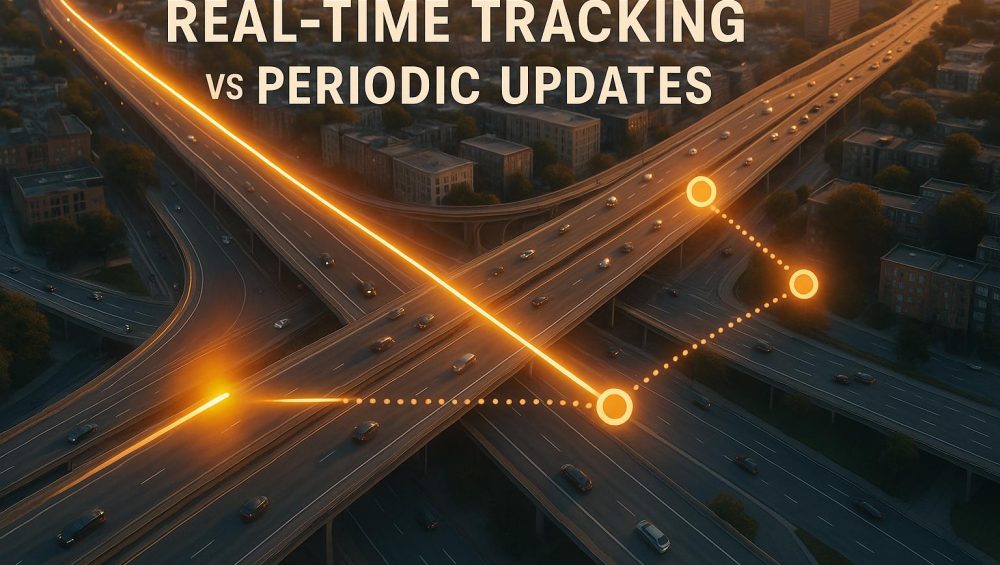
When managing fleets or equipment, choosing between real-time tracking and periodic updates comes down to how often you need location data and how it’s delivered. Real-time tracking provides continuous updates, ideal for time-sensitive operations, theft recovery, and monitoring driver behavior. Periodic updates, on the other hand, send data at scheduled intervals, making them cost-efficient and better for assets with predictable movements or limited power sources.
Key Takeaways:
Real-Time Tracking: Offers live updates every few seconds to minutes. Best for immediate responses but higher costs and power usage.
Periodic Updates: Sends data at set intervals (e.g., hourly or daily). Lower costs and longer battery life but lacks instant visibility.
Quick Comparison:
Factor
Real-Time Tracking
Periodic Updates
Update Frequency
Every few seconds to minutes
Scheduled intervals (hourly, daily)
Power Consumption
Higher, requires constant power
Lower, longer battery life
Data Usage
High due to constant updates
Minimal, uses less data
Cost
Higher device and monthly fees
Lower overall costs
Best Use Case
Dynamic, high-value, or urgent assets
Stationary or predictable assets
For fleets with diverse needs, a mixed approach – combining both tracking methods – can offer flexibility while keeping costs in check.
Real-time GPS tracking operates by continuously gathering and transmitting location data from a GPS device installed in vehicles or equipment. This device relies on GPS satellites to determine its exact location, accurate to within 10–15 feet. Once the position is identified, the device sends this data through a cellular network to a central server, where it’s processed and displayed on a dashboard or mobile app.
Updates are sent every few seconds to a minute, ensuring near-instant information. These data packets often include more than just location – they can also provide speed, direction, engine status, and even details like fuel levels or temperature readings.
To function, the system requires three key components: a GPS receiver, a cellular modem, and a power source (usually the vehicle’s battery or a rechargeable unit). What sets real-time tracking apart is its constant connection via cellular networks, which enables the steady flow of fresh data.
That said, this constant communication comes with trade-offs. Cellular data usage can range from 10–50 MB per month, and for battery-powered trackers, frequent updates can drain the battery quickly. For example, a tracker sending updates every 30 seconds might last only a few days, while one set to hourly updates could run for weeks on a single charge.
Network coverage is another critical factor. Real-time tracking depends on cellular signals, so gaps in coverage – like rural areas, tunnels, or regions with poor service – can interrupt updates. Many systems buffer the data during these lapses and upload it once the connection is restored, but this means you won’t see updates in real time during those gaps.
This continuous flow of data enables many features that are essential for effective fleet management.
Key Features of Real-Time Tracking
Real-time tracking provides live updates displayed on a map, offering immediate visibility into fleet locations. As vehicles move, their icons shift on the map, much like watching a navigation app track your own journey. This live view allows dispatchers to monitor vehicle positions in real time, enabling quick responses to changing situations.
Geofencing is another powerful tool. By setting virtual boundaries – such as around customer sites or warehouses – you can receive instant alerts when vehicles enter or leave these zones. This happens seamlessly because the tracker constantly compares its location to these predefined areas.
Event-triggered alerts go beyond simple location updates. Modern systems can notify you about specific occurrences such as harsh braking, rapid acceleration, excessive idling, unauthorized after-hours movement, or even tampering with the device. These alerts are typically sent via email, text, or push notifications within seconds.
Live breadcrumb trails provide a detailed history of a vehicle’s movements. By plotting each GPS point on the map, the system creates a visual record of the route taken. This level of precision is invaluable for verifying service calls, addressing customer complaints, or analyzing driver behavior.
Some systems also include two-way communication, allowing dispatchers to send messages or instructions directly to drivers. This feature supports dynamic routing and enables immediate responses to urgent situations, creating a complete communication loop.
Benefits and Drawbacks
Real-time tracking offers numerous advantages, particularly for businesses that require instant visibility into their fleet’s activities. For example, knowing the exact location of each vehicle allows for faster dispatching, reducing response times and fuel consumption. This is especially beneficial for service providers, delivery operations, and emergency response teams where time is critical.
Another major advantage is theft recovery. With real-time updates, you can monitor stolen vehicles or equipment as they move, providing law enforcement with precise location data to aid in recovery.
The system also helps improve safety by monitoring driver behavior in real time. Alerts for harsh braking, speeding, or other risky actions allow you to address issues immediately, fostering safer driving habits and reducing liability.
Real-time tracking further enhances customer service by providing accurate ETAs based on live vehicle locations and traffic conditions. Instead of vague arrival windows, you can give precise updates and proactively inform customers of delays, improving transparency and trust.
However, there are challenges to consider. Higher costs are a notable drawback, as real-time systems typically involve more expensive devices and higher monthly fees due to cellular data usage and server resources. On average, these systems can cost 30–50% more than periodic update alternatives.
Power consumption is another concern, particularly for devices not connected to a constant power source. Battery-powered trackers require frequent recharging or replacement, adding maintenance tasks and the risk of coverage gaps if the battery dies unexpectedly.
In areas with poor cellular coverage, data transmission issues can arise. Constant attempts to send data in these conditions can drain batteries faster and fail to deliver the real-time updates you’re paying for.
Some businesses may also encounter privacy concerns from drivers. Clear policies about how tracking data will – and won’t – be used are essential to maintaining trust and morale among employees.
Lastly, real-time tracking can lead to information overload if not managed properly. Without careful alert settings, the sheer volume of data can overwhelm dispatchers, particularly in larger fleets.
How Periodic Updates Work
Periodic GPS tracking collects location data at specific intervals, storing it until it’s ready to transmit. Essentially, it takes snapshots of a vehicle’s position at set times.
Here’s how it works: the GPS device determines its location using satellite signals. It then stores this data internally and waits until a scheduled time – like hourly, every few hours, or once a day – to transmit it. When the time comes, the device connects to a cellular network to upload the stored data to a central server. In areas where cellular coverage is spotty, some systems switch to satellite communication, though this can result in a slight delay of about two to three minutes after an event.
This "store-and-forward" method keeps the device in a low-power mode most of the time, activating the GPS receiver and modem only during scheduled updates. Many systems also use LPWANs (Low Power Wide Area Networks) to maximize energy efficiency. Some devices even offer incident-response tracking, sending immediate alerts when specific events occur. These technical advantages lead to several standout features.
Key Features of Periodic Updates
One standout feature of periodic tracking is its ability to significantly extend battery life. Since the device transmits data less often, battery-powered trackers can last much longer without needing frequent recharging or battery replacement.
Benefits and Drawbacks
While periodic tracking offers clear advantages, it also has its limitations.
On the plus side, this method is cost-efficient. Devices are less expensive, and the extended battery life reduces maintenance needs. However, the biggest downside is the delay between updates. Location data isn’t available in real time, which can be a problem if a vehicle moves unexpectedly. For instance, if a vehicle is relocated without warning, the system may not register the change until the next scheduled update. This delay can hinder immediate decision-making and slow down response times. Additionally, because the system records location data at intervals, the resulting information consists of discrete points rather than a continuous route, which may miss some details of an asset’s movements.
Real-Time Tracking vs Periodic Updates: Side-by-Side Comparison
Deciding between real-time tracking and periodic updates boils down to how each method aligns with your fleet’s operational priorities. Both have distinct advantages and trade-offs that can shape daily management practices.
Comparison Table: Key Factors
Here’s a breakdown of how these two tracking methods stack up across critical operational factors:
Factor
Real-Time Tracking
Periodic Updates
Update Frequency
Provides updates every few seconds to minutes
Delivers updates at scheduled intervals (hourly, daily, or custom)
Battery Life
Needs a direct power source or frequent recharging
Designed for extended battery life
Data Usage
Consumes more data due to constant transmissions
Uses less data with intermittent updates
Installation
Requires integration with the vehicle’s power system or regular charging
Operates independently using internal batteries
Energy Efficiency
Higher power consumption from continuous streaming
Lower power consumption with periodic transmissions
This comparison highlights key differences, particularly in power and data requirements, helping you weigh the options based on your fleet’s needs.
Which Method Fits Your Use Case
Your decision should reflect the specific demands of your fleet operations and the type of assets you manage.
Real-time tracking works best when immediate updates and rapid responses are critical. For instance, urban delivery fleets rely on constant location visibility, while emergency vehicles and high-value shipments benefit from continuous monitoring to address unexpected events instantly.
On the other hand, periodic updates are a practical choice for assets that don’t need constant oversight. Equipment at construction sites, trailers parked in storage, or vehicles on predictable routes can be monitored effectively with scheduled check-ins. A simple daily update can confirm an asset’s location while minimizing power usage and extending battery life.
For fleets with diverse needs, a hybrid approach can offer the best of both worlds. Assets can operate on periodic updates most of the time but switch to real-time tracking if unusual activity is detected.
Geographic factors also play a role. In areas with limited cellular coverage, periodic updates can store data locally and transmit it once connectivity improves, reducing the risk of blind spots.
sbb-itb-4827db2
How to Choose the Right Tracking Method for Your Fleet
Choosing the best tracking method for your fleet isn’t about chasing the latest tech – it’s about finding what works for how your fleet operates. The wrong choice can lead to unnecessary costs, while the right one can streamline operations and keep expenses in check.
Decision Framework
Start by considering what your assets do and where they go. High-value, mobile assets with unpredictable routes, like delivery vehicles in city traffic, shipping containers in transit, or sensitive equipment in high-risk areas, often need real-time tracking. While this option comes with higher power and data costs, the immediate visibility it provides can directly impact your bottom line.
On the other hand, stationary or low-risk assets – such as backup generators, construction equipment, or stored trailers – might only need periodic updates. A simple daily check-in confirms their location without draining batteries or racking up data charges unnecessarily.
Next, think about how quickly you need to respond. If your team needs to act within minutes – rerouting drivers, responding to theft, or dispatching roadside assistance – real-time tracking is essential. But if a once- or twice-daily location update is sufficient, periodic tracking can save battery life while still meeting your needs.
Power availability and connectivity also play a role. Vehicles with constant engine power can easily handle real-time tracking, but standalone trailers or portable equipment often perform better with periodic updates that preserve battery life for months or even years. If your assets operate in areas with unreliable cellular coverage, periodic tracking can store data locally and transmit it once the signal improves, ensuring you don’t lose valuable location information.
While budget constraints are important, don’t let them be your only guide. Look at the total cost of ownership, which includes hardware, subscription fees, installation, and maintenance. Real-time tracking may cost more upfront and monthly, but the operational benefits – like optimized routes that cut fuel costs or quicker theft recovery – can make it worth the investment for certain assets.
In many cases, the best solution is a mixed approach, combining different tracking methods to suit the unique needs of your fleet.
Using Both Methods Together
Tailoring your tracking approach to match your fleet’s specific needs can deliver the best results.
A mixed strategy works well for diverse fleets. For example, you might equip your active delivery vehicles with real-time trackers while using devices with periodic updates for backup vehicles, spare trailers, or equipment that doesn’t move often.
Some systems allow you to adjust update intervals, making it possible to switch between periodic and real-time tracking as needed. For instance, an asset might use periodic updates during routine operations but increase its reporting frequency if it enters a high-risk area or shows unusual activity. This flexibility ensures you’re not locked into one mode for each device.
Fleet managers can also set up conditional tracking rules to trigger real-time updates only when specific events occur. For example, a trailer might report its location every 12 hours while stationary but switch to frequent updates if it starts moving unexpectedly. This method balances security and battery life without requiring manual adjustments.
The key is to match each asset with the tracking method it truly needs, rather than applying a one-size-fits-all solution. By reviewing your fleet’s composition and identifying which assets require continuous monitoring, you can allocate tracking resources more effectively. This targeted approach helps you get the most out of your investment while ensuring critical assets remain secure and accounted for.
Piritiz offers a solution that fits the needs of any fleet, seamlessly blending the benefits of real-time tracking with periodic updates.
Piritiz GPS devices are designed to handle both continuous real-time tracking and scheduled periodic updates. This dual capability ensures a balance between instant responsiveness and efficient reporting, giving fleet managers consistent oversight without compromise.
Piritiz Device Features
These GPS trackers are wireless, battery-powered, and incredibly easy to set up. With a waterproof design and a battery life that lasts up to 5 years, they’re built to withstand a variety of environments.
Installation is simple – just mount the device using the provided hardware and activate it through the mobile app. The app gives you 24/7 access to live map tracking and sends instant alerts for movement or when vehicles enter or leave designated areas. This means you’re always in the loop, no matter where your fleet is.
Adjustable Tracking Intervals
Piritiz devices let you customize how often tracking data is updated, all through the mobile app. Whether you need continuous real-time updates or prefer periodic reporting, you can adjust the frequency remotely without ever having to physically access the device.
Subscription Plans and Pricing
Piritiz offers flexible pricing to fit different budgets and needs. Plans start at just $7 per month per device with a 2-year commitment. For shorter terms, here’s how the pricing breaks down:
6-month plan: $9 per device per month (10% savings)
1-year plan: $8 per device per month (20% savings)
2-year plan: $7 per device per month (30% savings)
Month-to-month plans are also available at $9.95 per device. These options allow fleet managers to expand their tracking capabilities without worrying about surprise expenses.
Conclusion
Choose a tracking method that aligns with your fleet’s specific needs. Real-time tracking provides immediate updates, making it perfect for time-sensitive deliveries, emergency situations, or safeguarding high-value assets. However, it does come with higher data usage and costs. On the other hand, periodic updates are a more budget-friendly option for operations where constant monitoring isn’t essential, like overseeing equipment that stays in one location or vehicles with regular, predictable routes.
Different scenarios call for different approaches. For example, construction companies and delivery services might combine both methods – leveraging real-time tracking for valuable or dynamic assets while relying on periodic updates for assets that are stationary or follow consistent patterns.
FAQs
How do I decide between real-time tracking and periodic updates for my fleet?
When deciding between real-time tracking and periodic updates, it all boils down to what your operations demand. Think about how quickly you need information, how crucial instant decisions are, and the type of work your fleet handles.
Real-time tracking keeps you in the loop constantly, making it perfect for situations where quick action is a must – like sticking to tight delivery schedules or handling emergencies. Meanwhile, periodic updates deliver information at set intervals, offering a more budget-friendly option for operations that don’t require immediate data.
Take a close look at your priorities – whether it’s budget constraints, how fast you need to react, or the complexity of your fleet – to figure out which approach fits your needs best.
How does real-time tracking improve theft recovery and driver behavior monitoring compared to periodic updates?
Real-time tracking offers a game-changing advantage when it comes to theft recovery and monitoring driver behavior. By providing live location updates, it enables swift responses to unauthorized movements, greatly increasing the likelihood of recovering stolen assets quickly. Plus, immediate alerts allow fleet managers to tackle issues as they arise, minimizing potential risks.
On the other hand, relying on periodic updates can lead to delays and a lack of real-time awareness. With real-time tracking, decisions can be made faster and with greater precision, ensuring your assets are better protected and drivers remain accountable.
Can combining real-time tracking and periodic updates improve fleet management, and how can this approach work effectively?
Combining real-time tracking with periodic updates can bring a new level of flexibility and efficiency to fleet management. Each method serves a distinct purpose: real-time tracking is perfect for critical situations, like keeping tabs on high-value shipments or responding quickly to emergencies, where immediate updates are non-negotiable. Meanwhile, periodic updates work well for routine operations, helping to save battery life and cut down on data usage.
To make the most of this hybrid approach, you can adjust tracking settings to fit your fleet’s specific needs. For instance, activate real-time tracking for vehicles handling sensitive cargo or operating in risky areas. For less urgent tasks, stick with periodic updates. This way, you’ll stay informed when it counts while keeping costs and resources in check.
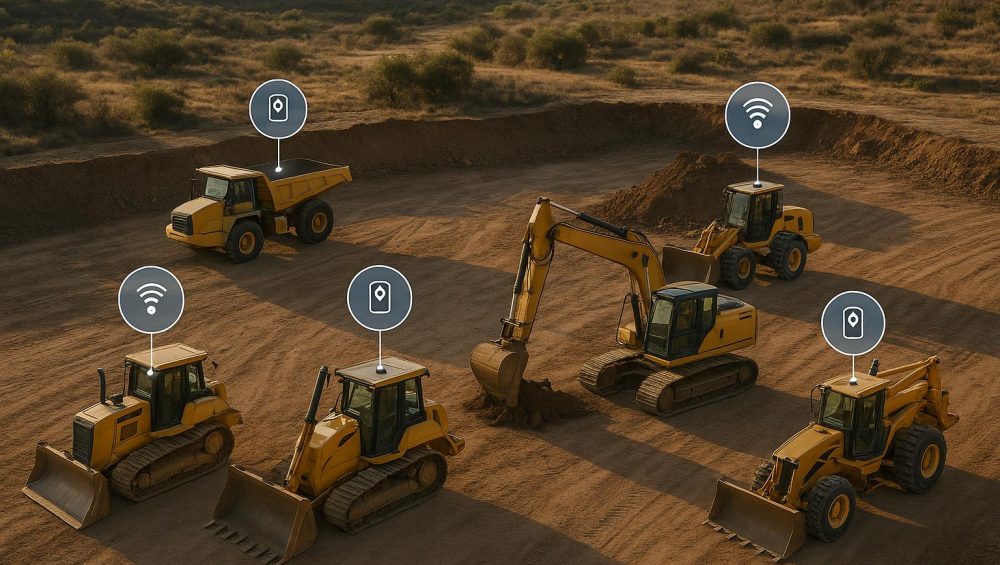
Theft and mismanagement of construction equipment can cost businesses time and money. GPS trackers help solve this by offering real-time location updates, geofencing alerts, and usage tracking to improve efficiency and security. In 2025, top options include:
Piritiz Tracking Devices: Long battery life (up to 5 years), wireless, waterproof, and affordable plans starting at $7/month.
Each option caters to different needs, from small fleets to large operations. Consider factors like durability, battery life, tracking features, and pricing before choosing.
Quick Comparison
Tracker
Best For
Key Features
Starting Price
Piritiz
Small to mid-size fleets
5-year battery, wireless, waterproof, no contracts
$7/month
GPS Technologies Pro
Unknown, contact provider
Limited public info
N/A
Samsara AG26
Unpowered assets
Weatherproof, cellular tracking
Contact for pricing
Verizon Connect Reveal
Large fleets, rugged jobsites
IP67, real-time updates, software integration
Contact for pricing
Trackunit Kin
Heavy equipment
Limited public info
N/A
LiveViewGPS
Mixed fleets
IP66–IP67, wired & battery options, geofencing
Contact for pricing
Choose a tracker that aligns with your budget, fleet size, and operational needs.
4 Reasons Why I Use GPS Tracking for Construction Vehicles
Piritiz offers GPS tracking devices designed for vehicles, trailers, and construction equipment. These battery-powered trackers eliminate the need for hardwiring into electrical systems, making them an excellent choice for construction companies managing a variety of assets.
Battery Life and Easy Setup
With a battery life of up to 5 years for idle equipment, Piritiz devices are built to last. Their wireless design means you can move them between machines without dealing with complicated installations – a practical solution for dynamic operations.
Built for Tough Conditions
Piritiz trackers aren’t just easy to set up – they’re also built to endure. Thanks to their waterproof construction, they can handle wet and challenging environments, ensuring reliable performance no matter the weather.
Always Connected with Real-Time Tracking
Stay in control with Piritiz’s 24/7 tracking capability, accessible through a mobile app. Whether you’re using a phone or computer, you can monitor your equipment’s location anytime. The service operates on a subscription basis with no contracts required. Plans start at $9.95 per month, but you can save by prepaying – $8 per month for a one-year plan or $7 per month for a two-year plan.
Straightforward Pricing, No Surprises
Piritiz keeps things simple with a transparent pricing structure. There are no activation fees, cancellation fees, or hidden costs, making it easier to manage expenses, whether you’re tracking a few assets or an entire fleet.
Details about the GPS Technologies Fleet Tracker Pro are scarce. Although it’s marketed for construction environments, specifics such as power sources, update intervals, connectivity features, geofencing capabilities, and diagnostic tools aren’t readily available. If you’re considering this tracker for your equipment monitoring needs, it’s best to reach out directly to the provider. They can offer up-to-date information on its features, installation process, and service options, helping you make an informed decision before implementing it at your job sites.
The AG26 is designed to keep tabs on unpowered assets like trailers, generators, and compressors without needing to tap into their power systems. Built to handle the challenges of construction sites, it boasts a tough, weather-resistant design. Using cellular connectivity, the AG26 sends location updates and integrates with a cloud platform for real-time tracking and instant notifications. This makes it an essential tool for managing a wide range of construction equipment efficiently.
Verizon Connect provides a robust tracking solution backed by one of the largest cellular networks in the U.S. Their Reveal hardware lineup includes devices for both powered and unpowered equipment, making it a practical choice for contractors managing a variety of assets. Built to handle the demands of tough jobsite conditions, this hardware is designed for reliability.
Built to Last in Tough Conditions
The Reveal hardware is made for the rugged environments common in construction. Its rugged enclosures protect against dust, moisture, and physical damage. With an IP67 rating, these devices can survive temporary water immersion up to 3.3 feet for 30 minutes, making them resistant to heavy rain, pressure washing, or accidental drops into water.
The hardware also includes shock-absorbing mounts and reinforced interiors, ensuring it can handle the constant vibrations of heavy equipment and remain functional even after years of use.
Power Options and Long-Lasting Batteries
Verizon Connect offers flexible power solutions to suit different types of equipment. For vehicles and machinery with accessible power sources, hardwired devices connect directly to the electrical system, ensuring continuous operation.
For unpowered assets like trailers or portable generators, battery-powered trackers are available. These can last up to three years on a single charge, depending on how often they transmit location data. For example, devices set to send updates less frequently can conserve battery life, while those transmitting hourly provide more detailed tracking.
Real-Time Updates Tailored to Your Needs
The system offers adjustable tracking intervals to meet specific operational demands. When equipment is moving, the Reveal system can send updates as often as every 60 seconds, making it ideal for monitoring active machinery on busy jobsites or verifying deliveries.
For idle equipment, update frequency can be customized to save power and data. Some contractors prefer updates every 15 minutes during work hours, while others find hourly check-ins sufficient. In clear conditions, the system delivers tracking accuracy within 15–30 feet, though urban sites with tall buildings may see slight variations due to GPS signal interference. To counter this, the system uses cellular tower triangulation as a backup.
Strong Connectivity and Seamless Integration
Powered by the Verizon 4G LTE network, the hardware ensures reliable coverage across most of the U.S. Devices automatically switch between cell towers to maintain consistent connectivity.
The Reveal platform integrates with popular construction management and accounting software through API connections. This eliminates the need for manual data entry, allowing equipment location data to sync directly with your workflows. You can use this integration to confirm equipment deployment matches project schedules or to trigger maintenance reminders based on actual usage hours.
Features That Add Value
Geofencing lets you set virtual boundaries around jobsites or storage areas, sending alerts when equipment enters or leaves these zones. This feature helps prevent theft and provides automatic logs of arrivals and departures, which can be useful for billing or tracking project timelines.
The hardware also includes motion sensors that detect movement, even if the engine isn’t running. For instance, if someone attempts to move your equipment at 2:00 AM, you’ll receive an immediate alert – helping to deter theft.
For powered equipment, certain devices can connect to the vehicle’s diagnostic port, collecting data like engine hours, fuel consumption, and maintenance codes. This information helps managers track actual usage, identify inefficient practices, and schedule maintenance based on real operating hours rather than arbitrary dates.
Optional driver identification features, like key fobs or app-based check-ins, allow you to track who is operating specific equipment. This adds accountability and helps resolve disputes about incidents or damage.
Some models also offer temperature monitoring, which is critical for equipment storing sensitive materials or operating in extreme conditions. You’ll be alerted if a climate-controlled storage unit loses power or if equipment is exposed to temperatures outside its recommended range, helping to prevent damage or premature wear.
Trackunit Kin is designed specifically for the construction industry, offering GPS tracking solutions tailored to heavy equipment. However, details about its durability, power sources, real-time tracking capabilities, connectivity options, and fleet integration features are not readily available. For the most accurate and up-to-date information, it’s best to refer to official Trackunit resources.
While this summary is concise, it rounds out our look at some of the top GPS trackers for construction equipment in 2025.
LiveViewGPS stands out as one of the top equipment tracking systems for 2025, especially for construction businesses managing fleets of heavy machinery, vehicles, and trailers. By combining durable GPS hardware with cloud-based software, it provides real-time visibility tailored to the unique challenges of the construction industry.
Built for Tough Environments
Construction sites are no picnic for equipment, let alone tracking devices. From blistering summer heat to freezing winters, constant vibrations, and exposure to dust and mud, devices need to be tough. LiveViewGPS trackers are up to the task. With rugged housings rated IP66–IP67, they can handle temperatures ranging from –4°F to 140°F and resist vibrations from heavy machinery like compactors and forklifts. This durability ensures reliable tracking, even in the harshest conditions.
Power Options and Battery Life
Power management is just as critical as durability. LiveViewGPS offers three types of trackers to suit different kinds of construction equipment:
Wired Trackers: These connect directly to a machine’s 12–24V electrical system, perfect for high-value equipment like excavators and loaders. They also include internal backup batteries, which keep the tracker operational for several hours if the main power is cut – an effective theft deterrent.
Battery-Powered Trackers: For unpowered assets like trailers, generators, and attachments, these trackers provide long-term monitoring. Adjustable reporting intervals can extend battery life from several months to years. Plus, alerts for low battery or power disconnection ensure timely maintenance and flag potential tampering.
Real-Time Updates for Better Oversight
LiveViewGPS offers near-real-time tracking with customizable update intervals. When equipment is on the move, location updates are sent every 30–60 seconds, making it easier to recover stolen assets or manage dispatch. During idle periods, the system slows to periodic "heartbeat" updates to conserve battery life and reduce data usage. Motion-activated alerts add an extra layer of security by notifying managers of unexpected movement.
Reliable Connectivity and Integration
The platform operates on 4G LTE networks, ensuring dependable coverage in urban, suburban, and even rural areas. For equipment that travels across state lines, roaming support ensures uninterrupted tracking. Additionally, LiveViewGPS offers API access, making it easy to integrate tracking data with existing systems for fleet management, maintenance scheduling, or accounting. For example, it can automate tasks like scheduling service reminders based on engine hours or generating job costing reports – streamlining workflows without overhauling current systems.
Features That Stand Out
One of LiveViewGPS’s standout features is geofencing. This allows users to set virtual boundaries around job sites or storage areas. If an asset crosses these boundaries, an alert is triggered, helping prevent theft and enhancing security.
The platform also supports utilization monitoring, offering insights into engine hours, idle time, and location history. These metrics help managers identify overused equipment in need of maintenance or underutilized assets that could be reassigned. For fleets with specialized needs, additional sensors can be added to monitor things like temperature or door status, making it versatile enough for mixed fleets.
How U.S. Construction Companies Can Implement LiveViewGPS
Rolling out LiveViewGPS across a construction fleet works best when done in phases. Start by focusing on high-value or theft-prone assets like excavators, skid steers, and enclosed trailers. Use wired trackers for powered equipment and battery-powered trackers for unpowered assets like trailers and generators.
Placement is key: install trackers in locations that balance good GPS signal reception with tamper resistance. For example, inside engine compartments (away from heat), under dashboards, or on trailer frames near the tongue. Setting up geofences around job sites and storage areas, along with clear alert policies (e.g., different notifications for working hours and off-hours), enhances security. Training dispatchers and equipment managers on how to use the system’s reporting and maintenance features ensures the data is put to good use.
LiveViewGPS offers a straightforward yet effective solution for equipment tracking and theft prevention. It’s particularly well-suited for small to mid-sized construction companies that need real-time visibility and basic reporting without the complexity of larger telematics platforms. For contractors with simpler needs, LiveViewGPS delivers the essential tools to protect assets and improve fleet management. However, companies with larger fleets or more advanced requirements may need to explore platforms with deeper diagnostic capabilities.
Pros and Cons Comparison
Here’s a quick summary of the standout features and limitations of Piritiz tracking devices, offering a clear picture of what they bring to the table.
Overview of Piritiz Tracking Devices
GPS Tracker
Pros
Cons
Piritiz Tracking Devices
• Battery life of up to 5 years • Waterproof and wireless design • No contracts or hidden fees • Flexible pricing starting as low as $7/month (with a 2-year prepay plan) • Easy installation without professional help • 24/7 tracking with real-time mobile app alerts
• Limited advanced telematics features compared to enterprise-grade platforms
Key Insights on Piritiz Tracking Devices
Piritiz tracking devices are designed to meet the needs of businesses looking for affordable and reliable tracking solutions. With a waterproof, wireless design and a battery life of up to 5 years, these devices are built to withstand tough environments. The real-time tracking capabilities, accessible through an easy-to-use mobile app, ensure that users can monitor their assets around the clock.
One of Piritiz’s standout qualities is its flexible pricing structure, starting at just $7/month with no hidden fees or contracts. This makes it a practical option for small to mid-sized construction companies aiming to prevent theft and keep tabs on their equipment without breaking the bank.
However, it’s worth noting that Piritiz is best suited for basic tracking needs. Larger enterprises requiring advanced fleet diagnostics and more comprehensive telematics features may find the platform less equipped to handle their requirements.
Conclusion
The comparisons above are designed to help you pick the right GPS tracker for your specific needs.
When deciding, think about your fleet size, the types of equipment you manage, and your budget. A small contractor overseeing just a few machines will have different priorities than a larger regional company managing dozens of assets spread across multiple job sites.
Key factors like real-time tracking, geofencing, battery life, durability, and pricing should guide your decision. If theft prevention and constant location updates are your main concerns, look for trackers with robust geofencing features and instant alerts. On the other hand, if your operations involve remote locations or long-term projects, prioritize devices with extended battery life and waterproof designs. Matching these features to your jobsite needs will make your decision clearer.
Cost management is another important consideration. Take into account installation fees, contract terms, and any hidden charges to calculate the true ownership cost over two or three years. Some systems may require professional setup and lock you into lengthy contracts, while others offer simple, no-commitment pricing models.
For businesses with straightforward tracking needs, Piritiz devices are a solid choice. Their no-contract model and affordable prepay options starting at $7/month make them ideal for smaller operations. Larger companies with more complex telematics requirements might need to explore platforms that provide advanced analytics and integration options.
FAQs
What should I look for in a GPS tracker for construction equipment in 2025?
When you’re choosing a GPS tracker for your construction equipment in 2025, it’s all about finding features that boost both efficiency and security. Start with real-time tracking – this lets you keep tabs on where your equipment is at all times. Pair that with geofencing, which sends alerts if a machine moves beyond its assigned area, offering an extra layer of protection.
You’ll also want to prioritize trackers that include maintenance scheduling. These can help you stay on top of service needs, ensuring your fleet runs smoothly. Plus, tools that provide utilization metrics can help you get the most out of your equipment by identifying underused assets or optimizing workloads.
Don’t overlook the practical details, either. Think about power options – whether you need long-lasting batteries or hardwired solutions. Make sure the tracker is easy to install and tough enough to handle the rugged conditions of a construction site. The right GPS tracker can safeguard your equipment and simplify managing your fleet.
What are the benefits of Piritiz’s no-contract model for small and mid-sized construction companies?
Piritiz’s no-contract model brings flexibility and cost advantages to small and mid-sized construction companies. By avoiding long-term commitments, businesses can adjust their GPS tracking solutions to match their changing needs – whether that means ramping up during peak seasons or cutting back during slower times.
This setup also removes the worry of being stuck with services that no longer suit your operations. Instead, you can concentrate on running your fleet efficiently and safeguarding your assets. It’s a smart option for companies that need dependable tracking technology without the constraints of rigid contracts.
What features make Piritiz GPS trackers ideal for construction equipment?
Piritiz GPS trackers are crafted to endure the tough conditions often found in construction settings. Made with sturdy, weather-resistant materials, they can handle exposure to harsh weather, dust, and the wear and tear of heavy use. On top of that, they deliver real-time location tracking, allowing construction companies to keep tabs on equipment movement and improve fleet management.
Some standout features include anti-theft alerts, which enable a swift response to any unauthorized activity, and utilization monitoring, offering valuable insights into how efficiently equipment is being used. These capabilities make Piritiz trackers a dependable choice for protecting critical assets and boosting overall operational efficiency.
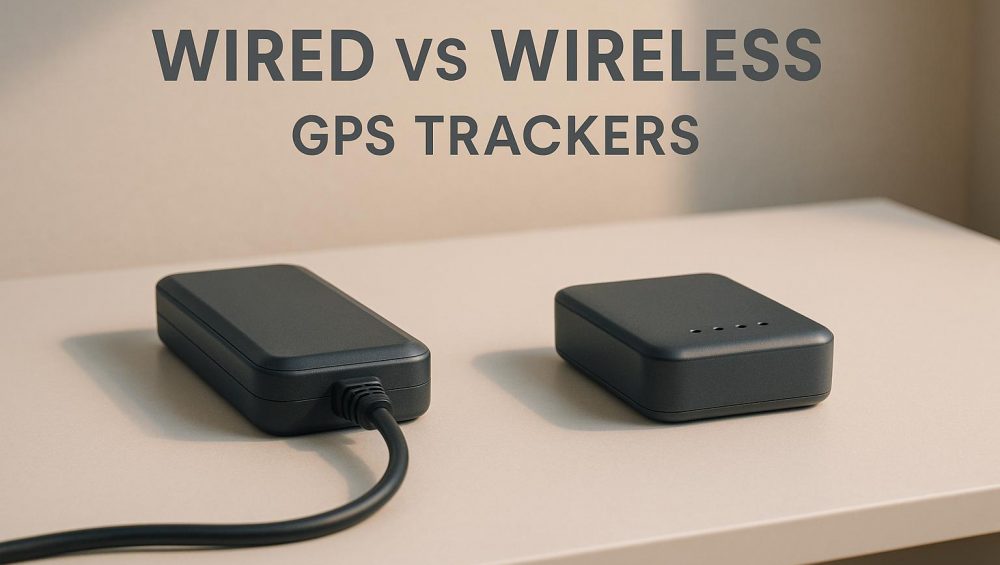
When choosing a GPS tracker, the decision boils down to wired vs wireless. Each option serves different needs:
Wired GPS Trackers: Powered by a vehicle’s electrical system, these provide real-time tracking and advanced features like engine diagnostics. Perfect for fleet vehicles, long-haul trucks, and high-value assets. Installation is permanent and requires professional setup, but they’re low-maintenance once installed.
Wireless GPS Trackers: Battery-powered and portable, these are ideal for non-powered assets like trailers, construction equipment, or rental vehicles. They’re easy to install and can be moved between items, but require periodic battery maintenance.
Key Factors to Consider:
Power Source: Wired trackers use the vehicle’s battery; wireless trackers rely on internal batteries.
Cost: Wired trackers have higher installation costs but lower maintenance. Wireless trackers are cheaper upfront but may require ongoing battery replacements.
Use Case: Wired trackers are best for vehicles in constant use. Wireless trackers excel for portable or temporary tracking needs.
Quick Comparison
Factor
Wired GPS Trackers
Wireless GPS Trackers
Power Source
Vehicle’s electrical system
Rechargeable battery (up to 5 years)
Installation
Requires professional installation
Simple DIY setup
Portability
Permanently installed
Easily transferable
Update Frequency
Continuous real-time updates
Configurable intervals
Cost
Higher upfront, lower maintenance
Lower upfront, ongoing battery costs
For fleet managers, wired trackers offer reliability and advanced features. For mobile or non-powered assets, wireless trackers provide flexibility. A hybrid approach (using both) often yields the best results.
Top 4 Best GPS Trackers (2025) | Features & Installation
How Wired GPS Trackers Work
Wired GPS trackers connect directly to a vehicle’s electrical system, ensuring uninterrupted tracking as long as the vehicle has power. These devices receive location data from GPS satellites and transmit it through cellular networks. Thanks to their hardwired connection, they operate continuously without the need to worry about battery life or recharging.
Power Source and Installation
Wired GPS trackers draw power directly from the vehicle’s battery. They work with both 12-volt systems (commonly found in standard cars, vans, and light trucks) and 24-volt systems (used in heavy-duty trucks and commercial vehicles). Installation can be done in two main ways: hardwiring to the fuse box or plugging into the OBD-II port.
Hardwired Installation: This method involves connecting the tracker’s power cables directly to the vehicle’s fuse box. The device is then hidden in a concealed location, making it secure and difficult to tamper with. This setup is ideal for theft prevention because removing it requires tools and electrical expertise.
OBD-II Installation: For a quicker and more straightforward setup, the tracker plugs into the OBD-II port, which is standard in all U.S. vehicles manufactured after 1996. This option provides instant access to diagnostics like engine RPM, fuel consumption, and trouble codes. However, because the port is more visible, the tracker is easier to spot and remove, which could be a drawback for theft protection.
Many businesses prefer professional installation to ensure proper wiring and to avoid any potential warranty issues. Costs for installation can vary depending on the complexity of the setup, but some fleet management providers include installation as part of their service packages.
Once installed, the tracker begins sending location updates as soon as the vehicle’s ignition is turned on. Even when the engine is off, many wired trackers operate in a low-power mode, allowing them to monitor movement or detect unauthorized starts. This constant connection forms the backbone of the advanced features discussed below.
Features and Capabilities
The continuous power supply of wired trackers unlocks a range of advanced features, making them a valuable tool for fleet management beyond simple location tracking.
Real-Time Tracking: Updates are sent every 10 to 60 seconds while the vehicle is in motion. This allows fleet managers to monitor routes, identify delays, and provide accurate ETAs to customers.
Engine Diagnostics: OBD-II connected trackers can access critical data from the vehicle’s computer system. Managers can monitor fuel consumption, engine temperature, battery voltage, and diagnostic trouble codes, helping to catch maintenance issues early.
Geofencing: Virtual boundaries can be set on a map. Alerts are sent when a vehicle enters or exits a designated area, such as a job site, customer location, or restricted zone.
Idle Time Monitoring: These trackers measure how long a vehicle idles with the engine running, helping businesses identify inefficient fuel use and coach drivers on better practices.
Driver Behavior Analysis: Data on acceleration, harsh braking, sharp turns, and speeding can be collected to improve safety and potentially lower insurance premiums.
Tamper Alerts: If someone tries to disconnect the tracker or interfere with the vehicle’s electrical system, managers are immediately notified. This feature is especially useful for theft prevention, as it makes disabling the device more difficult.
Best Use Cases
Wired GPS trackers shine in scenarios where vehicles are in regular use and require consistent oversight. These trackers are particularly well-suited for specific industries and operational needs.
Daily-Use Fleet Vehicles: Delivery vans, service trucks, and company cars benefit from the uninterrupted tracking provided by a wired connection. For example, a plumbing company with 15 service vans can track technician locations, optimize routes, and confirm customer visits without worrying about recharging or replacing batteries.
Long-Haul Trucking: For trucks traveling thousands of miles weekly across state lines, wired trackers ensure continuous tracking throughout multi-day trips. Dispatchers can manage loads efficiently and monitor hours of service.
High-Value Vehicle Protection: Businesses with expensive equipment, like construction companies with $80,000 excavators or landscaping firms with $50,000 trucks, rely on hidden wired trackers for theft recovery. Real-time tracking and tamper alerts help law enforcement quickly locate stolen assets.
Vehicles Requiring Diagnostics: Fleet managers can use OBD-II connected trackers to monitor maintenance schedules, fuel efficiency, and mechanical issues, reducing the risk of unexpected breakdowns.
Temperature-Sensitive Cargo: Wired trackers with additional sensors are ideal for refrigerated trucks carrying food or pharmaceuticals. Temperature probes can alert managers if cooling systems fail, protecting valuable cargo and ensuring compliance with regulations.
While wired trackers are excellent for vehicles in regular service, they aren’t the best choice for assets that frequently move between vehicles, equipment without electrical systems, or items requiring portable tracking. For vehicles with consistent power availability, however, wired trackers provide dependable performance with minimal upkeep.
How Wireless GPS Trackers Work
Wireless GPS trackers run on built-in rechargeable batteries, allowing them to function independently without relying on external power sources. This design makes them incredibly versatile, especially for fleet management and asset tracking, where equipment and vehicles often need to be monitored in varying locations. Plus, since they’re not tied to a specific vehicle or asset, they can be quickly moved between different items as needed.
Power Source and Portability
Piritiz wireless trackers boast a battery life of up to 5 years, significantly reducing the hassle of frequent recharging. Their waterproof design and straightforward installation make them easy to mount securely on different surfaces, whether it’s a vehicle, trailer, or piece of equipment. This portability is a game-changer for assets that are constantly on the move or lack a dedicated power connection.
Update Frequency and Battery Life
These trackers are designed with smart power management, allowing users to configure how often location updates are sent. This feature ensures reliable, 24/7 tracking while maximizing battery life. By balancing update frequency and power usage, wireless trackers provide dependable performance in dynamic and ever-changing environments.
Best Use Cases
The portability and ease of deployment make wireless trackers ideal for a variety of applications. They’re particularly effective in fleet management, theft prevention, and monitoring mobile assets such as vehicles, trailers, and equipment. Whether you need to keep tabs on a fleet of trucks or safeguard valuable equipment, these devices offer a practical and efficient solution.
Wired vs Wireless GPS Trackers: Side-by-Side Comparison
Choosing between wired and wireless GPS trackers can help you make smarter investment decisions. Each type has its own strengths, tailored to specific operational needs and budgets.
Comparison Table
Factor
Wired GPS Trackers
Wireless GPS Trackers
Power Source
Powered by the vehicle’s electrical system
Built-in rechargeable battery (lasting up to 5 years)
Installation
Requires professional installation and wiring
Simple DIY setup using magnets or adhesive
Update Style
Provides continuous, real-time updates
Sends updates at intervals to conserve battery life
Portability
Permanently installed, not easily moved
Portable and transferable between vehicles or equipment
Stealth
Often hidden in areas like the dashboard or wiring
Compact and discreet, allowing for flexible placement
Features
May integrate with vehicle diagnostics for added insights
Offers core tracking features like location, alerts, and geofencing
Lifespan
Continuous power ensures long-term operation
Battery-powered with a lifespan designed for up to 5 years
This breakdown highlights how each tracker type aligns with different operational goals.
What These Differences Mean for U.S. Businesses
Understanding these distinctions can help businesses make informed choices based on their specific needs.
For fleet managers overseeing long-haul trucks or delivery vehicles, wired trackers provide consistent, real-time data without interruptions. On the other hand, wireless trackers are ideal for businesses managing construction equipment, trailers, or rental vehicles. Their portability makes it easy to switch the device between assets, offering flexibility without sacrificing functionality.
When theft prevention is a priority, both systems shine in different ways. Wired trackers are harder to locate or disable since they’re integrated into the vehicle. Wireless trackers, thanks to their compact design, can be discreetly placed in unexpected spots, making them difficult to tamper with.
Cost and setup time are also key considerations. Wired trackers typically require higher upfront costs for professional installation and take longer to deploy. In contrast, wireless trackers are more budget-friendly upfront, with quick DIY installation and flexible subscription plans, such as those offered by Piritiz.
Lastly, environmental conditions play a role. Wired trackers perform reliably even in extreme temperatures. Wireless units, while durable, may need adjustments in very cold weather to maintain optimal performance.
sbb-itb-4827db2
Choosing the Right Tracker for Your Needs
Selecting the best GPS tracker depends on what you’re monitoring, how you’ll use it, and the level of visibility you need. Your specific situation will guide the decision.
For Fleet Management
Fleet managers rely on constant updates to keep vehicles running smoothly and drivers accountable. Wired GPS trackers are a great fit here because they draw power directly from the vehicle’s electrical system, ensuring uninterrupted location tracking without worrying about battery life.
These trackers provide real-time updates, allowing dispatchers to optimize routes, cut down on idle time, and maintain accurate mileage logs. They also supply diagnostic data, which simplifies both route planning and vehicle maintenance. This not only prevents breakdowns but also extends the life of the vehicles. For businesses with fleets of 10 or more vehicles, these features often lead to noticeable cost savings and improved compliance within just a few months.
Since the trackers are permanently installed, there’s no risk of them being misplaced or needing frequent recharging. However, for assets that don’t have a built-in power source, a different type of tracker is necessary.
For Non-Powered Assets
When it comes to equipment that’s frequently moved or stored between jobs – like trailers, construction machinery, or RVs – wireless trackers are the way to go. These devices are perfect for assets that don’t have a constant power supply.
Battery-powered and waterproof, wireless trackers can last up to five years, making them a reliable choice for outdoor conditions. Whether the equipment is sitting in a yard or being transported through tough weather, these trackers continue to perform. They’re especially handy for managing rental equipment or seasonal items like boats and RVs, offering an easy and hassle-free way to monitor mobile assets.
For Theft Prevention
Protecting your assets is just as important as managing them. With over one million vehicles stolen in 2023 – a 1% increase from the previous year – theft prevention remains a top priority. Both wired and wireless trackers can send immediate alerts if unauthorized movement is detected. Wired trackers are harder to disable, while wireless models offer the advantage of being easily hidden. Either option helps safeguard your investments and reduces potential losses.
Cost and Maintenance Considerations
When evaluating GPS tracking systems, it’s essential to account for both upfront and ongoing expenses. These include the cost of the device, installation, maintenance, and subscription fees.
Device and Installation Costs
Wired GPS trackers typically range in price from $50 to $300 for the device alone. However, the significant expense often lies in installation. Since these devices need to be hardwired into your vehicle’s electrical system, professional installation is usually required. Labor costs for this service can vary between $50 and $250 per vehicle. For a fleet of 20 vehicles, installation costs could add up to $1,000–$5,000. These initial costs are a key factor when planning your budget.
Wireless trackers, on the other hand, are more varied in price and don’t require installation. For example:
Magnetic trackers: $100–$300
OBD plug-in models: $30–$150
Bluetooth trackers: $10–$50
With no installation fees, wireless trackers may appeal to those looking to reduce upfront costs.
Ongoing Maintenance
Maintenance needs differ significantly between wired and wireless trackers. Wired trackers, once installed, operate continuously without requiring battery replacements or recharging. This makes them a low-maintenance option.
Wireless trackers, however, rely on internal batteries, which means you’ll need to replace or recharge them periodically. While this adds a layer of upkeep, wireless models offer the convenience of being easily transferable between vehicles or assets.
Subscription Plans and Service Costs
Monthly subscription fees are another critical expense to consider. These fees cover real-time tracking and cloud-based services, and they typically range from $5 to $50 per month, with most vehicle tracking plans falling between $15 and $40 per month.
For example, Piritiz offers simple, no-contract pricing with the following options:
Month-to-Month plan: $9.95 per month, cancel anytime.
Prepaid plans:
$9 per month for 6 months (10% savings)
$8 per month for 1 year (20% savings)
$7 per month for 2 years (30% savings)
All plans come with 24/7 tracking access, no activation fees, and no cancellation charges.
Total Cost of Ownership
When planning your budget, it’s essential to factor in both the initial device and installation costs alongside ongoing subscription fees. Here’s a quick comparison:
A wireless tracker priced at $150 with a $7 monthly subscription would cost approximately $318 over two years.
A wired tracker costing $200, with $150 in installation fees and a $10 monthly subscription, would total around $590 over the same period.
Your choice will depend on whether you prioritize lower upfront costs and portability or prefer a permanent, low-maintenance solution.
Conclusion
Choosing between wired and wireless GPS trackers comes down to understanding your specific needs and how each option aligns with them. Both types bring distinct strengths to the table, making them useful tools for fleet management, asset tracking, and theft prevention in different scenarios.
Wired trackers are perfect for permanent installations, offering consistent and tamper-resistant monitoring. Powered directly by the vehicle, they deliver continuous, real-time updates, making them an excellent choice for fleets in daily operation. While installation involves a higher upfront cost, the reliability and long-term benefits often justify the investment.
Wireless trackers, on the other hand, provide unmatched flexibility. They are ideal for assets that move between job sites, rental equipment, or vehicles where professional installation isn’t practical. These devices may require occasional battery maintenance and often update less frequently to conserve power, but their portability and ease of use make them a go-to solution for temporary or mobile tracking needs.
Key Takeaways
Understanding the unique advantages of each system helps you identify the best fit for your needs. If your priority is constant, real-time monitoring, wired trackers are the way to go. For portable or temporary assets, wireless trackers shine. In fact, many businesses find that combining both systems provides the most effective coverage.
For U.S. businesses, the choice may also depend on operational environments. Fleets covering long distances or crossing state lines benefit from the reliability of wired systems. Meanwhile, wireless trackers are ideal for monitoring remote or portable assets without the need for a fixed installation.
A hybrid approach is often the smartest strategy. Using wired trackers for your primary vehicles and wireless devices for supplementary equipment can balance costs while ensuring comprehensive tracking. Armed with these insights, you can confidently select a GPS tracking solution tailored to your operational strategy.
FAQs
What are the benefits of combining wired and wireless GPS trackers?
Using both wired and wireless GPS trackers can give you the best of both worlds when it comes to tracking solutions. Wired trackers are great for long-term use, like managing a fleet or keeping tabs on a vehicle over time, because they’re powered directly by the vehicle and come packed with advanced features.
On the flip side, wireless trackers shine in situations where portability and ease of use are key. They’re simple to set up, discreet, and work well for short-term tracking or keeping an eye on assets in tricky-to-access locations.
Combining these two types of trackers offers a flexible and reliable solution. You can depend on wired trackers for consistent, real-time tracking of fixed assets while using wireless options for temporary or mobile needs. This mix ensures you’re covered for just about any tracking scenario.
What are the key differences in installation between wired and wireless GPS trackers, and how do you decide between professional or DIY setup?
Wired GPS trackers are directly integrated into a vehicle’s electrical system, which usually means you’ll need a professional to handle the installation. This ensures everything is set up correctly and functions as it should. On the flip side, wireless GPS trackers are far easier to manage. They’re often designed for simple plug-and-play use or straightforward DIY placement.
When choosing between professional installation and a DIY approach, think about a few key factors: your comfort with technical tasks, how complex the tracker is, and how much time you can dedicate to the setup. If you’re looking for a secure, long-term solution, professional installation might be worth considering. But if you want something quick and flexible, a wireless tracker is likely your best bet.
What are the maintenance costs for wired vs. wireless GPS trackers, and how can I reduce them?
Wired GPS trackers often prove to be more cost-effective in the long run since they draw power directly from the vehicle or equipment they’re attached to. This setup eliminates the hassle and expense of frequent battery replacements. On the other hand, wireless trackers depend on batteries, which means you’ll need to replace them periodically – adding to ongoing costs.
When deciding which tracker suits your needs, think about the specific requirements of your application. For wired trackers, make sure they’re installed correctly to avoid electrical problems down the line. If you’re leaning toward wireless options, look for models with energy-efficient designs or batteries that last longer to cut down on replacement costs. Keeping up with routine maintenance and monitoring can also help you get the most out of both wired and wireless trackers while keeping expenses manageable.
Fleet operating costs can quickly add up, especially with fuel, maintenance, and accident-related expenses. For example, fuel alone often makes up 50-60% of total costs, and accidents can cost fleets $70,000 annually. GPS tracking is a proven way to cut these expenses by providing real-time data on vehicle location, driver behavior, and maintenance needs. Businesses using GPS tracking have reported:
12% fuel savings through route optimization.
19% reduction in accident-related costs by monitoring driver behavior.
15% lower maintenance expenses with proactive alerts.
Here’s how GPS tracking helps reduce costs:
Fuel Savings: Smarter routes reduce mileage and idle time.
Maintenance Alerts: Prevent costly breakdowns with early warnings.
Safer Driving: Monitor habits to reduce accidents and insurance premiums.
All-in-One Management: Tools like Piritiz devices combine these features for $9.95/month per vehicle.
With GPS tracking, fleets save money, improve efficiency, and maintain better control over operations.
5 Ways Smart Field Service Fleets Cut Costs & Improve Job Performance
How GPS Tracking Reduces Fleet Expenses
GPS tracking helps lower fleet expenses by transforming real-time data into practical solutions. With up-to-the-minute traffic information, GPS systems calculate the best routes, avoiding congestion and unnecessary detours. This not only cuts down on extra mileage but also saves fuel and boosts overall efficiency. By streamlining operations, GPS tracking plays a crucial role in trimming fleet costs.
1. Cut Fuel Costs with Better Routes
Finding smarter ways to plan routes can significantly lower fuel expenses by eliminating unnecessary miles and idle time.
With GPS tracking, vehicles are constantly monitored, and routes are recalculated in real-time to avoid traffic and unexpected detours. These adjustments help save fuel and reduce costs without requiring extra effort from drivers.
Cost Savings Potential
Route optimization can lead to noticeable savings for fleet managers. By cutting down on fuel consumption and minimizing wear and tear on vehicles, businesses can see long-term financial benefits. Plus, these smarter routes contribute to better overall fleet performance.
Impact on Operational Efficiency
Smarter routes don’t just save fuel – they streamline operations. Dispatchers can assign tasks based on location, cutting down on unnecessary driving and reducing driver fatigue. Real-time tracking also lets dispatchers manage more tasks in less time, keeping drivers on the move and boosting productivity. This level of coordination even helps create a safer working environment.
Scalability for Different Fleet Sizes
Whether you’re managing a small fleet or a large one, GPS tracking and route optimization deliver benefits. Smaller fleets get quick wins with easier planning and efficiency improvements, while larger fleets can use advanced features like multi-stop route sequencing to fine-tune their operations as they expand.
2. Reduce Vehicle Downtime with Maintenance Alerts
Proactive maintenance alerts are a game-changer for keeping vehicles on the road and avoiding surprise expenses. Just like route optimization helps cut fuel costs, these alerts ensure your fleet stays operational by addressing small issues before they snowball into costly repairs. GPS tracking systems continuously monitor vehicle health and provide timely notifications when maintenance is due, helping you sidestep emergency repairs and keeping vehicles from being stranded.
Today’s GPS tracking technology goes beyond just location updates. It keeps an eye on engine diagnostics, mileage, and usage patterns to predict when parts might wear out or when routine servicing is needed. Instead of waiting for a dashboard warning light – or worse, a breakdown – fleet managers receive early alerts for key maintenance tasks.
Cost Savings Potential
Preventive maintenance is far less expensive than dealing with emergencies. When a vehicle breaks down unexpectedly, you’re not only hit with repair costs but also face added expenses like towing, missed deliveries, overtime pay for mechanics, and even rental fees. On the other hand, routine tasks like oil changes, brake checks, and tire rotations are predictable and help keep repair bills manageable. By sticking to a consistent maintenance schedule, fleets can avoid costly disruptions and keep operations running smoothly.
Ease of Implementation
Setting up maintenance alerts is straightforward. Most systems let you configure notifications based on mileage, engine hours, or specific calendar dates. Simply input your fleet’s maintenance schedule, and the system takes care of the rest. Alerts can be sent via email, text, or through a centralized dashboard, making it easy to plan maintenance during off-peak hours. Many systems also create digital maintenance logs automatically, eliminating the hassle of paperwork and making it simple to track service history for each vehicle.
Impact on Operational Efficiency
Scheduled maintenance keeps your fleet running like clockwork. Knowing exactly when a vehicle needs service allows you to plan ahead – scheduling maintenance during slower periods or rotating vehicles to maintain full capacity. This predictability means fewer roadside breakdowns, less scrambling to reassign jobs, and deliveries that stay on schedule. The result? Happier customers and a fleet that lasts longer while retaining better resale value.
Scalability for Different Fleet Sizes
Whether you manage a handful of vehicles or a massive fleet, maintenance alerts adapt to your needs. Small fleet operators can use basic reminders to avoid manually tracking service schedules, while larger operations benefit from centralized management of multiple vehicles. With all maintenance needs displayed in one place, fleet managers can group similar tasks for potential cost savings and even identify patterns that point to recurring issues with specific vehicle models or conditions. Plus, GPS tracking adds an extra layer of security by guarding against unauthorized use and theft, protecting your investment even further.
sbb-itb-4827db2
3. Stop Unauthorized Vehicle Use and Theft
Unauthorized vehicle use and theft can lead to higher expenses due to wasted fuel, increased wear and tear, and unexpected downtime. With GPS tracking, fleet managers gain access to real-time location updates, detailed activity logs, and geofencing alerts. These tools make it easier to identify and address unauthorized trips as soon as they happen.
Cost Savings Potential
When vehicles are used without authorization, it not only wastes fuel but also puts extra strain on maintenance schedules. Theft, on the other hand, can result in prolonged downtime and disrupt services. GPS tracking helps reduce these risks by enabling quicker recovery efforts and minimizing losses. By keeping a close eye on vehicle activity, businesses can save money and improve overall efficiency.
Ease of Implementation
Setting up a GPS tracking system to monitor unauthorized use is simple. Fleet managers can define operating hours for each vehicle and create geofences around approved service zones or facilities. The system automatically compares actual vehicle activity to these predefined parameters and sends alerts when any discrepancies occur. Customizable notifications, such as after-hours movement alerts or daily summaries, ensure managers receive only the most relevant updates. Once configured, the system operates seamlessly through a web dashboard or mobile app, offering continuous monitoring without extra hassle.
Impact on Operational Efficiency
Knowing that vehicles are being monitored discourages improper use, encouraging drivers to stick to approved routes and schedules. This level of oversight reduces unauthorized trips and enhances day-to-day efficiency. Additionally, in cases where disputes arise over service times or delivery schedules, GPS data provides clear, unbiased evidence to quickly resolve issues and support performance evaluations.
Scalability for Different Fleet Sizes
Whether managing a small fleet or a large one, GPS tracking systems can adapt to meet your needs. Small businesses benefit from straightforward monitoring with minimal administrative effort, while larger fleets can take advantage of centralized dashboards to oversee all vehicles in real time. With a pay-per-vehicle pricing model, you only pay for what you use, and the system can easily expand as your fleet grows – no need for expensive infrastructure upgrades.
4. Lower Accident Costs by Monitoring Driver Behavior
Keeping an eye on driver behavior not only reduces fuel and maintenance costs but also significantly cuts down accident-related expenses. Accidents can quickly inflate fleet expenses through repair bills, higher insurance premiums, medical fees, and lost productivity. By using GPS tracking systems to monitor driving habits, fleet managers can spot and address risky behaviors before they lead to costly incidents.
Cost Savings Potential
The financial repercussions of accidents extend far beyond just repair costs. Claims can drive up insurance premiums, and vehicles sidelined for repairs can disrupt operations. GPS tracking systems help fleet managers identify unsafe driving patterns early, allowing timely interventions like coaching or retraining. This proactive approach reduces the likelihood of accidents, which in turn means fewer claims and the ability to maintain lower insurance rates over time.
Ease of Implementation
Installing a GPS-based driver behavior monitoring system is a straightforward process. These systems track real-time data such as speed, acceleration, braking, and cornering. Alerts are triggered when drivers exceed predefined safety thresholds, which fleet managers can customize based on their specific standards – like speed limits or frequent harsh braking during trips.
A centralized web dashboard simplifies monitoring by displaying driver performance scores, making it easy to identify individuals who may need extra training. Detailed trip reports provide actionable insights for targeted interventions, and mobile apps allow managers to access this data on the go, ensuring they stay informed even when away from the office.
Impact on Operational Efficiency
Monitoring driver behavior doesn’t just prevent accidents – it also promotes smoother driving habits that extend the life of fleet vehicles. Reduced wear on brakes, tires, and other components contributes to lower maintenance costs.
Driver scorecards offer measurable performance metrics that can be used in recognition programs and performance reviews. Safe drivers can be rewarded for their efforts, while those with lower scores can receive focused coaching. This data-driven approach eliminates guesswork from safety management and fosters a culture of accountability and responsibility within the team.
Additionally, GPS tracking systems provide detailed records of incidents, including vehicle speed, location, and driving patterns. These records can be crucial for defending against fraudulent claims or resolving legal disputes, potentially saving businesses significant costs. This comprehensive approach to safety management creates a scalable framework that works for fleets of all sizes.
Scalability for Different Fleet Sizes
Driver behavior monitoring is effective for fleets large and small. For smaller fleets, the system offers simple, focused reporting to highlight critical safety concerns without overwhelming managers with data. Larger fleets can take advantage of advanced analytics to compare driver performance across routes, vehicle types, or teams.
As fleets expand, these systems scale effortlessly. New vehicles integrate into the system right away without needing complicated setups. Centralized dashboards give managers a clear view of fleet-wide safety metrics, while drill-down tools allow for detailed analysis of individual performance. This scalability ensures that safety monitoring remains practical and effective, no matter how large or small the fleet may be.
5. Use Piritiz Tracking Devices for Complete Fleet Management
Piritiz tracking devices bring together fuel efficiency, maintenance alerts, theft prevention, and driver behavior monitoring into one powerful tool for fleet management. This all-in-one solution not only simplifies operations but also helps cut costs significantly, as outlined below.
Cost Savings Potential
Piritiz tracking devices go beyond just offering individual cost-cutting features. By combining route optimization, maintenance scheduling, driver behavior tracking, and unauthorized use prevention into a single system, the savings add up fast. Instead of juggling multiple systems or piecing together fragmented data, fleet managers get a clear, unified view of their operations – all at a fraction of the cost.
The pricing is straightforward, starting at $9.95 per month per device. Prepaid plans can save you up to 30%, and there are no hidden fees or installation charges. These wireless, battery-powered devices are easy to use and have a battery life of up to 5 years, so you avoid frequent replacements and the downtime associated with them.
Ease of Implementation
Deploying Piritiz trackers is quick and hassle-free. Just place the wireless tracker in your vehicle, activate it through the mobile app, and start 24/7 monitoring right away. This do-it-yourself setup means no waiting for technicians or dealing with scheduling delays. You can roll out the system across your fleet at your own pace.
The platform integrates seamlessly with other fleet management tools, automatically compiling reports on fuel usage, maintenance, driver behavior, and vehicle utilization. Instead of gathering data manually, you’ll have everything you need in one place, saving hours of administrative work each week.
Piritiz devices are compatible with a wide range of vehicles, from cars and trucks to trailers, RVs, and even heavy equipment. Whether you’re managing delivery vans or construction gear, this system has you covered.
Impact on Operational Efficiency
With Piritiz, you get real-time data that helps you make proactive decisions. Dispatchers benefit from knowing exactly where each vehicle is, allowing for smoother operations and more precise route adjustments. This visibility improves customer service too – you can provide accurate arrival times based on live updates instead of estimates.
The system’s reporting tools identify patterns over time. For example, you might notice that certain routes consistently cause delays, specific vehicles require more frequent maintenance, or some drivers excel at fuel efficiency. Armed with these insights, you can fine-tune route planning, schedule vehicle replacements strategically, and prioritize driver training where it’s needed most.
Record-keeping becomes automatic. Every trip, stop, and event is logged without requiring drivers to fill out forms or managers to compile reports. This automated documentation is invaluable for regulatory compliance, verifying customer billing, and resolving disputes about service or vehicle use.
Scalability for Different Fleet Sizes
Whether you’re managing a small fleet of three vehicles or a large operation with 300, Piritiz tracking devices adapt to your needs. Small fleets benefit from straightforward tracking and reporting, while larger fleets can take advantage of advanced organizational tools to manage operations across multiple locations.
Adding new vehicles is as simple as activating another device – no need for infrastructure upgrades or system overhauls. The pricing structure grows with your fleet, keeping costs predictable as you expand. Plus, the devices are built to withstand tough conditions, from construction sites to long-haul trucking routes, ensuring they perform reliably no matter how demanding your operations get.
Conclusion
GPS tracking offers a practical way to cut fleet costs by refining routes, scheduling maintenance ahead of time, curbing unauthorized vehicle use, and encouraging better driving habits. Beyond saving money directly, it also speeds up deliveries, enhances customer satisfaction, and boosts service reliability. Plus, with safer driving and real-time tracking, you can minimize liability and respond to issues faster.
Fleet managers quickly notice the benefits: lower fuel expenses, predictable maintenance schedules, and better use of assets by identifying vehicles that are either underused or overworked. The data collected empowers smarter decisions, from refining driver training programs to planning vehicle replacements. These savings create a streamlined and efficient operation.
With Piritiz tracking devices, these advantages are bundled into one easy-to-use tool. Pricing is simple – $9.95 per month per device – with no hidden fees, installation costs, or long-term commitments. Thanks to their wireless, battery-powered design, trackers can be installed across your fleet in just hours, and with a battery life of up to five years, downtime is kept to a minimum.
The platform combines route planning, maintenance tracking, theft prevention, and driver monitoring into a single, intuitive dashboard. Forget juggling multiple tools or manually compiling reports – the mobile app gives you full visibility at your fingertips. Whether you manage a few vehicles or a few hundred, the system adapts to your needs without requiring extra infrastructure or complicated setups.
If cutting operating costs while improving service quality is your goal, GPS tracking is a proven solution. Piritiz tracking devices provide the tools you need to save money, protect your assets, and boost efficiency – all at a price that works for businesses of every size.
FAQs
How does GPS tracking help lower fuel costs for fleet operations?
GPS tracking helps cut down on fuel costs by streamlining route planning. It pinpoints the fastest and least congested paths, allowing drivers to avoid unnecessary stops, reduce mileage, and spend less time stuck in traffic.
It also keeps an eye on driving habits like speeding or harsh braking, both of which can burn more fuel than necessary. By addressing these behaviors through driver coaching, companies can see noticeable savings on fuel over time.
What advantages do Piritiz GPS tracking devices offer for fleet management?
Piritiz GPS tracking devices offer practical tools to help you manage your fleet more efficiently. For starters, they can cut operating costs by optimizing routes, which means less fuel consumption and fewer unnecessary miles. Plus, their proactive maintenance alerts keep your vehicles in good shape, helping to avoid downtime and expensive repairs.
Another great advantage is the ability to monitor vehicle usage. This helps prevent unauthorized activities, boosting both security and accountability across your fleet. Altogether, these features simplify operations and improve overall efficiency, saving your business both time and money.
How does GPS tracking enhance driver safety and help lower accident-related costs for fleets?
GPS tracking plays a key role in improving driver safety by keeping an eye on behaviors like speeding, harsh braking, and rapid acceleration. With this information, fleet managers can spot risky driving patterns and offer tailored coaching to help drivers make safer choices on the road. This proactive approach reduces the chances of accidents.
Beyond safety, adopting safer driving habits can lead to financial benefits. Fewer accidents mean lower costs for vehicle repairs, medical bills, and legal issues. On top of that, fleets with strong safety records often become eligible for reduced insurance premiums, adding to the long-term savings.
Battery life directly impacts fleet operations. A drained GPS tracker can lead to lost location data, disrupted routes, and higher costs. To avoid these issues, fleet managers must balance tracking frequency with power consumption. Here’s what you need to know:
Battery Types: Lithium-ion and lithium-polymer batteries are common, offering 300–500 charge cycles. Alkaline batteries last longer in low-power scenarios but struggle in cold temperatures.
Modes: Standby mode uses minimal power, lasting weeks or months. Active tracking drains batteries faster, often within 2–3 days.
Update Intervals: Frequent updates (e.g., every minute) deplete batteries quickly. Longer intervals (e.g., every 15 minutes) conserve energy, extending battery life significantly.
Environmental Factors: Extreme temperatures and poor signal strength drain batteries faster.
Fleet Usage: Constantly moving vehicles and real-time tracking require more power. Stationary assets or seasonal equipment benefit from trackers with motion detection or extended intervals.
Key Tips to Extend Battery Life:
Adjust tracking intervals based on activity.
Choose energy-efficient devices with advanced chipsets.
Monitor battery levels regularly.
Consider hardwired or solar-powered trackers for specific needs.
How Long Does A GPS Car Tracker’s Battery Last? – Talking Tech Trends
How GPS Tracker Batteries Work
Understanding how GPS tracker batteries function is crucial when choosing devices for fleet management. These batteries store the energy needed to power the GPS receiver, cellular modem, and processor. How quickly the battery drains depends on how often these components activate and how long they stay on.
Battery capacity, measured in milliampere-hours (mAh), indicates how much energy a tracker can store. A higher mAh means more stored energy, but actual runtime depends on how the device is configured and used. For instance, a tracker with a 5,000 mAh battery holds significantly more charge than one with a 2,000 mAh battery.
The type of battery used also plays a key role in performance and longevity.
Battery Types Used in GPS Trackers
Modern GPS trackers typically rely on lithium-ion or lithium-polymer batteries. These rechargeable batteries are compact, lightweight, and capable of delivering consistent voltage throughout their discharge cycle. They generally last between 300 and 500 charge cycles before their capacity noticeably declines.
These batteries are well-suited for various conditions, with a low self-discharge rate of just 2–3% per month when idle. This makes them ideal for fleet trackers that might sit unused for extended periods.
Some simpler GPS trackers use alkaline batteries instead. While non-rechargeable, these batteries can last months or even years in low-power applications. They are often used for stationary assets that don’t need frequent tracking. However, alkaline batteries lose voltage steadily as they drain, which can reduce tracking accuracy. They also struggle in cold weather, losing up to 50% of their capacity when temperatures drop below 32°F.
Standby vs. Active Tracking Modes
GPS trackers operate in two primary modes, each with very different power demands. In standby mode, the tracker stays in a low-power state, maintaining minimal cellular connectivity without acquiring GPS signals or transmitting data. In this mode, power consumption is minimal – just 5–10 milliamps per hour – allowing batteries to last weeks or even months.
Active tracking mode is far more energy-intensive. In this mode, the GPS receiver locks onto satellite signals, calculates location, and transmits data through the cellular network. This process can draw 100–200 milliamps per update cycle, as the GPS receiver must communicate with multiple satellites to determine its position accurately.
The difference in battery life between these modes is dramatic. A tracker primarily in standby mode might last 60–90 days on a single charge, while one in continuous active mode could drain its battery in just 2–3 days. Fleet managers can extend battery life by configuring trackers to stay in standby when vehicles are parked and only switch to active tracking during operational hours.
How Tracking Intervals Affect Battery Life
The frequency of location updates, or tracking intervals, is a key factor in battery longevity. Shorter intervals mean more frequent updates, which quickly deplete the battery. Longer intervals, on the other hand, significantly reduce power consumption.
For example, a tracker updating its location every minute activates its GPS receiver and cellular modem 1,440 times a day. In contrast, a device set to update every 15 minutes wakes only 96 times daily, conserving much more energy. Each time the GPS receiver powers up, it can take 30–60 seconds to lock onto satellites, drawing the most power during that time.
Frequent updates, such as those used for real-time tracking, can drain a battery in just a few days. By comparison, trackers with longer intervals can last weeks or even months. In one case study, a logistics company using the FA29 4G GPS Tracker extended battery life from two months to nearly three months by adjusting the tracking interval to every 15 minutes instead of real-time updates. Drivers were also instructed to turn off trackers when vehicles weren’t in use, further conserving battery life.
Applications requiring constant, real-time updates – such as monitoring high-value cargo – might accept faster battery depletion as a trade-off for visibility. For long-haul vehicles or equipment that moves infrequently, longer intervals are often sufficient and dramatically extend battery life. Many GPS trackers allow users to customize update intervals, making it easier to find the right balance for specific needs.
For static assets like parked trailers or stored equipment, hourly or even daily updates may be enough. Some advanced trackers include motion sensors that automatically adjust update frequency based on movement, ensuring efficient battery use. Customizing tracking intervals is an essential step in balancing data requirements with battery longevity.
What Affects GPS Tracker Battery Performance
The lifespan of a GPS tracker’s battery isn’t just about its capacity or tracking mode. A mix of environmental conditions, fleet usage, and device settings play a role in how long the device operates between charges. Knowing these factors can help you predict battery drain and adjust your fleet management strategies to keep things running smoothly.
Temperature, Weather, and Terrain
Extreme temperatures can wreak havoc on GPS tracker batteries. Cold weather reduces efficiency, while heat accelerates battery wear. High humidity adds to the challenge by forcing the device’s electronics to draw more power to function properly.
Signal strength is another critical factor. In areas with weak reception – such as mountainous regions, urban areas with tall buildings, or indoor spaces – trackers consume extra energy trying to connect with satellites. Similarly, poor cellular coverage means the device works harder to maintain a connection, draining the battery faster. When signals are blocked, the tracker constantly attempts to determine its position, which further depletes power.
To combat these challenges, consider using GPS trackers designed for tough environments if your fleet operates in extreme conditions. Store and use devices at moderate temperatures whenever possible, and position trackers where they can get a strong signal. Some advanced models combine GPS and cellular positioning, which helps maintain connectivity in areas with patchy reception.
But it’s not just the environment – how your fleet operates also impacts battery life.
Usage Patterns and Fleet Activity
The way your fleet is used has a direct effect on battery consumption. Vehicles that are constantly on the move or require real-time data updates use more power compared to trackers monitoring stationary assets.
Shorter tracking intervals mean the device has to frequently acquire GPS signals and transmit data, which quickly drains the battery. Features like motion detection can help by reducing updates when the tracker is stationary and increasing them only when movement is detected.
For vehicles, usage patterns also matter. Those driven regularly benefit from the alternator, which can keep hardwired trackers charged. On the other hand, vehicles that sit idle for long periods rely solely on the tracker’s battery, leading to faster drain. Advanced features like geofencing and real-time alerts also consume more energy, so aligning tracking intensity with your fleet’s needs can help strike a balance between functionality and battery life.
Device Settings and Hardware Features
Internal device settings and hardware design play a big role in battery performance. Features like geofencing, while useful, require the tracker to constantly monitor its position relative to set boundaries, which uses more power.
Many modern trackers include motion sensors that adjust reporting frequency based on activity. This means the device conserves power when stationary and ramps up updates only when movement is detected. Additionally, hardware with efficient GPS chipsets and high-quality antennas can acquire signals faster, reducing the energy needed for each update. Some devices also include power-saving modes that automatically adjust settings based on activity, offering a practical balance between data accuracy and battery life.
sbb-itb-4827db2
How to Extend GPS Tracker Battery Life
If you want to get the most out of your GPS trackers, it’s all about making smart adjustments, choosing the right devices, and keeping up with maintenance. These steps can help you cut down on recharging and keep your tracking system running smoothly without interruptions.
Adjusting Tracking Intervals
One of the simplest ways to save battery life is by tweaking the tracking intervals. For example, during off-hours, set longer update intervals to conserve power. During active periods, you can switch to more frequent updates to meet your fleet’s needs.
Many GPS trackers let you customize update intervals based on time of day or motion. This means you can have detailed tracking when your vehicles are on the move and save energy when they’re not. Features like motion-triggered reporting and geofencing can also help. With geofencing, you’ll only get alerts when a vehicle enters or leaves specific locations like depots or customer sites, cutting down on unnecessary transmissions.
For equipment that doesn’t move often, like trailers or seasonal machinery, extending the update intervals can make a big difference in battery life.
Next, choosing the right tracker can make an even bigger impact.
Selecting Energy-Efficient GPS Trackers
Not all GPS trackers are built the same, especially when it comes to energy use. The design and technology inside the device can significantly affect how long it lasts between charges.
Look for trackers with advanced, low-power GPS chipsets and high-quality antennas. These can maintain a strong signal while using less energy. For instance, Piritiz trackers offer up to 5 years of battery life and come with features like wireless installation and waterproofing, making them a great fit for various fleet operations.
If you’re dealing with vehicles that are always on the road, consider hardwired trackers. These draw power directly from the vehicle’s electrical system, eliminating battery concerns altogether. Solar-powered trackers and models with replaceable batteries are also good options for different operational setups.
Of course, even the best devices need proper care to perform at their best.
Battery Maintenance and Monitoring
Keeping an eye on your trackers’ batteries is key to avoiding unexpected downtime. Use your tracking platform to set up low-battery alerts so you’ll know when a device needs attention. Make it a habit to check battery levels regularly, especially for units that aren’t hardwired.
When storing spare batteries or idle trackers, keep them in moderate conditions. Extreme heat or freezing temperatures can drain their capacity and shorten their lifespan.
Selecting GPS Trackers for Your Fleet
Choosing the right GPS tracker for your fleet means considering battery performance alongside your operational needs. Whether your vehicles are constantly on the move or spend long periods idle, adjusting tracking intervals can ensure reliable and efficient device performance. The right tracker not only keeps your fleet visible but also helps maintain overall efficiency. Let’s explore how different fleet types can tailor tracker settings to strike a balance between battery life and operational demands.
Matching Battery Life to Fleet Type
Every fleet operates differently, so finding the right tracker configuration is essential:
Long-Haul Vehicles: These require consistent monitoring. Use shorter update intervals while the vehicle is active and switch to longer intervals when idle to extend battery life.
Delivery and Service Fleets: For fleets with predictable routes, battery-powered trackers with extended life (up to 5 years) are ideal. Look for features like wireless installation and waterproofing. Set frequent updates during working hours and reduce frequency during downtime.
Trailers and Equipment: For stationary assets, motion-activated trackers are a good option. These can stay inactive for long periods but increase reporting frequency when movement is detected.
Construction Equipment: Operating in tough environments demands rugged, waterproof trackers with a battery life of 3–5 years. This reduces the need for frequent recharging or maintenance.
Seasonal Assets: For assets used only part of the year, durable, battery-powered trackers are a smart choice. Adjust tracking intervals to align with periods of peak activity and storage.
Battery Life vs. Tracking Frequency
The trade-off between how often a tracker updates and its battery life is a critical consideration. Frequent updates drain the battery faster, so it’s important to match intervals to your operational needs. For instance, during active hours, you might set updates every 2–5 minutes, while during downtime, hourly or motion-triggered updates can conserve battery.
Modern GPS trackers, like those offered by Piritiz, allow you to customize update intervals based on your specific requirements. However, remember that extreme temperatures can impact battery performance. If your fleet operates in harsh conditions, scheduling occasional battery checks is a smart precaution.
Budget is another key factor. Piritiz trackers start at $9.95 per month, with flexible prepaid plans that can save you up to 30%. Additionally, consider how trackers fit into your maintenance cycle. For fleets already on a regular servicing schedule, incorporating battery-powered trackers is seamless. For vehicles in remote areas, the long battery life of Piritiz devices minimizes the need for frequent maintenance, ensuring uninterrupted fleet monitoring no matter where your vehicles are.
Conclusion
Maximizing the battery life of GPS trackers doesn’t have to be complicated. Start by understanding how your fleet operates and tweak the tracker settings to align with those needs. Whether your vehicles are constantly on the move or equipment spends long periods idle, finding the right balance between tracking frequency and battery usage ensures smooth and efficient operations.
Take the time to analyze your fleet’s activity patterns and adjust device configurations accordingly. Keep in mind that environmental factors, like extreme temperatures, can also affect battery performance. If your fleet operates in challenging conditions, scheduling periodic checks can help maintain optimal performance.
Choosing the right GPS tracker plays a big role too. Many modern trackers come packed with features that allow you to customize settings for various vehicle types. With wireless and waterproof designs, installation is hassle-free, and longer battery life means less maintenance – especially useful for vehicles in remote or hard-to-reach locations.
FAQs
How can fleet managers set the right tracking interval to balance battery life and data accuracy?
Fleet managers can fine-tune battery performance and data precision by adjusting the tracking interval based on their specific needs. For assets that remain stationary for long periods, setting the tracker to report every hour or even once a day can greatly extend battery life without sacrificing crucial information. On the other hand, for vehicles or assets that require frequent updates, choosing shorter intervals like 10 or 15 minutes ensures more precise tracking, though it may slightly reduce battery longevity.
Striking the right balance depends on your operational priorities, the need for real-time updates, and how often your assets are on the move. Experimenting with various intervals and keeping an eye on battery performance can help you pinpoint the best setup for your fleet.
How can fleet managers maintain GPS tracker battery performance in extreme weather conditions?
When it comes to keeping your GPS tracker running smoothly in extreme weather, it’s all about choosing the right device and taking a few precautionary steps. Opt for trackers built with rugged, weather-resistant casings and batteries engineered to handle both scorching heat and freezing cold.
You can also tweak settings, like extending tracking intervals, to ease the battery’s workload in challenging conditions. And don’t forget regular upkeep – clean the device and inspect it for any signs of wear or damage to keep it performing reliably.
What types of batteries do GPS trackers use, and which is best for different fleet needs?
When it comes to powering GPS trackers, there are three main options: rechargeable batteries, long-life lithium batteries, and solar-powered solutions. Each has its own strengths, depending on how you plan to use them:
Rechargeable batteries: These work well for short-term needs, typically lasting several days to about a week, depending on how often the tracker is used and the settings applied.
Long-life lithium batteries: Built for the long haul, these can operate for months or even years without needing replacement. They’re a great fit for assets or vehicles that don’t require frequent maintenance.
Solar-powered trackers: Ideal for outdoor use, these rely on sunlight to stay charged, which minimizes the hassle of manual recharging and ensures continuous operation.
Choosing the right power option comes down to your fleet’s specific requirements. For instance, rechargeable batteries are practical for vehicles that can be charged regularly, while long-life lithium or solar-powered trackers are better suited for remote or long-term tracking needs.
Trailer theft can disrupt your business, cost you money, and damage your reputation – but it’s preventable. Implementing a mix of physical security, smart parking, and GPS tracking can significantly reduce the risk. Here’s what you need to know:
Use high-quality locks: Invest in hitch locks and wheel locks made from durable materials like hardened steel to secure your trailer effectively.
Visible deterrents matter: Brightly colored locks and warning decals can discourage theft before it happens.
Park smart: Choose well-lit, secure areas and block access to your trailer with vehicles or structures.
Add GPS tracking: Real-time location monitoring helps you recover stolen trailers quickly and offers peace of mind.
Secure your facility: Install cut-resistant fencing, motion-activated lighting, and surveillance cameras for added protection.
Combining these layers creates a strong defense system. Start today to protect your trailers and minimize risks.
How to Keep Your Trailer From Being Stolen – 8 Ways to protect your trailer
Physical Security Measures
Physical security devices serve as the first line of defense against trailer theft, primarily by increasing the effort and time required to steal. The harder you make it for thieves, the more likely they are to abandon your trailer for an easier target.
High-Quality Locks
When it comes to locks, quality is everything. Weak, flimsy locks can be defeated with basic tools, making theft far too easy. Investing in sturdy, heavy-duty locks is a simple and affordable way to protect your trailer.
Hitch locks are designed to secure the coupler mechanism that connects your trailer to a towing vehicle. These locks prevent someone from hitching your trailer to their truck and driving away. Look for hitch locks made from hardened steel, as they resist cutting, prying, and drilling. A snug fit around the coupler adds another layer of protection by reducing leverage points.
Wheel locks, often called boot locks, clamp onto the trailer’s tires to stop them from rotating. These devices are both functional and highly visible. Their bright yellow or orange color ensures they can be spotted from a distance, signaling to thieves that the trailer is protected. With a combination of a strong bolt mechanism and a secure lock, wheel locks are a powerful deterrent. Using both a hitch lock and a wheel lock forces a thief to overcome two separate barriers, making theft far more challenging.
Regularly check your locks to ensure they’re in good working condition. This includes inspecting bolts and testing combination mechanisms for reliability.
While locks physically secure the trailer, their visibility also plays a critical role in deterring theft.
Visual Deterrents
Thieves often scout their targets before acting. Visible security measures can send a clear message: this trailer will be difficult and risky to steal.
Brightly colored locks, like those on wheel clamps, serve as an excellent visual deterrent. Their bold yellow or orange designs make them stand out, signaling to potential thieves that the trailer is secured and under watch. From across a parking lot, these locks make it clear that stealing the trailer would require significant effort and time.
Adding warning stickers can further discourage theft. Decals that advertise GPS tracking, alarm systems, or security monitoring can make thieves think twice. Even if these systems aren’t in place, the perception of added security can be enough to deter them.
For example, FleetUp’s SmartLock Solution incorporates a durable WireLock cable that not only secures the trailer but also acts as a visual warning to thieves by showcasing its robust security features.
The goal is to make your trailer appear more trouble than it’s worth. When potential thieves see multiple layers of visible security, they’ll likely decide the effort, noise, and risk involved simply aren’t worth it – and move on to an easier target.
Parking and Storage Practices
Where you park your trailer is just as important as the locks you use. Thoughtful parking choices can significantly lower the chances of theft by making your trailer harder to reach and more noticeable to others. Combining smart parking with physical security measures adds another layer of protection.
Secure, Well-Lit Parking Areas
Good lighting is a powerful deterrent to theft – it exposes intruders and makes their activities harder to hide. Always park your trailer in well-lit areas, such as under street lamps or near active surveillance cameras. If you’re parking at home, choose a spot that’s visible to a trusted neighbor or a nearby business.
If a security light isn’t available, consider installing motion-activated lighting. This type of lighting not only surprises potential thieves but also improves visibility for any security cameras monitoring the area.
When traveling, be extra cautious. Hotel parking lots that are poorly lit are frequent targets for trailer theft. Opt for parking spots that are well-lit, monitored by surveillance cameras, and equipped with physical barriers like bollards.
Beyond choosing a good parking spot, physically blocking access to your trailer can provide an additional and highly effective layer of defense.
Blocking Trailer Access
Take extra steps to block access to your trailer wherever you park. If you’re stopping overnight, keep the trailer attached to your towing vehicle or park another vehicle directly in front of it to block the hitch.
For enclosed trailers, back the trailer doors against a fixed structure such as a wall or fence. This limits access even if someone manages to bypass the locks. Another effective method is angling the trailer’s nose inward toward other trailers or obstacles, making it harder to reach the hitch. Bollards can also be used to prevent unauthorized hook-ups.
For long-term parking, immobilize your trailer by removing a tire or the trailer jack. These steps make moving the trailer far more difficult without specialized equipment.
If maximum security is needed, enclosed storage facilities are your best option. Store your trailer in a locked building or an enclosed yard with a cut-resistant security fence. For those using loading docks, engage dock locks to secure the connection between the trailer and the dock. This not only immobilizes the trailer but also acts as a strong deterrent to theft.
Facility-Level Security Controls
Strengthen trailer security by safeguarding your entire facility. Beyond trailer-specific measures, facility-level controls act as a broader defense system, creating an added layer of protection. These measures form a critical barrier, making it harder for intruders to access trailers and complementing individual trailer defenses with multiple layers of security.
Perimeter Fencing and Motion-Activated Lighting
A sturdy, cut-resistant perimeter fence serves as your first line of defense, far more effective than standard chain-link fencing. Frank Pisciotta, President of Business Protection Specialists, Inc., highlights the limitations of conventional fencing:
"Conventional fencing and gates will prevent unauthorized access and incidents. Battery-powered cutting tools overcome this common measure in a matter of seconds."
To counter this, opt for security fencing designed with tightly woven links that are much harder to cut.
Enhance this physical barrier with detection systems like motion sensors or AI-powered cameras. These tools turn a static fence into an active security system by immediately alerting you to breaches.
Motion-activated lighting is another essential component. It not only disrupts intruders but also signals that the area is under active surveillance. Installing lights and sensors at all access points ensures there are no dark areas for intruders to exploit, significantly improving overall security.
By combining robust physical barriers with advanced surveillance technology, you create a facility that’s much harder to penetrate.
Surveillance Cameras and Alarm Systems
AI-enabled surveillance cameras provide both a deterrent and a way to gather clear evidence. Placing cameras at key locations – like gates, loading docks, and along the perimeter – ensures thorough monitoring and reinforces your facility’s security system. These tools work hand-in-hand with alarm systems to deliver real-time alerts, keeping your facility one step ahead of potential threats.
sbb-itb-4827db2
GPS Tracking and Real-Time Monitoring
In addition to strong physical security measures, GPS tracking brings a digital layer of protection to safeguard your assets. These devices attach directly to trailers, providing live location updates and enabling immediate action if theft occurs. For fleet managers and business owners, GPS tracking has become a must-have tool, offering constant oversight and peace of mind. While physical security can deter criminals, GPS tracking ensures you’re always in the loop and ready to respond quickly.
Take modern GPS trackers, like the battery-powered models from Piritiz, for example. These devices are designed for simplicity and reliability, featuring up to 5 years of battery life, a waterproof build, and a wireless setup. You can install them discreetly without dealing with complicated wiring.
Real-Time Location Monitoring
With GPS tracking, you gain real-time visibility into your trailers’ movements, allowing you to pinpoint their exact locations at any moment. Geofencing technology takes this a step further by letting you set up virtual boundaries around specific areas, such as your yard, job sites, or approved parking zones. If a trailer crosses one of these boundaries without permission, the system immediately alerts you via phone or email. Plus, mobile apps provide 24/7 access, so you can monitor your fleet from anywhere, keeping everything under your control.
Piritiz offers straightforward pricing for their GPS tracking services, starting at just $9.95 per month. There are no long-term contracts, cancellation fees, or hidden costs, and prepaying for longer periods can save you even more. This technology not only helps recover stolen trailers but also improves the overall efficiency of your fleet.
Recovery Assistance
When theft happens, GPS tracking becomes a critical tool. The precise location data it provides helps law enforcement recover stolen trailers quickly and effectively. The faster access to this information, the better the chances of a successful recovery.
But the benefits don’t stop at theft recovery. GPS tracking also supports daily fleet management by delivering insights into trailer usage and optimizing routing, making it a valuable tool for improving operational efficiency.
Employee Training and Security Procedures
While physical and digital security measures are essential, the role of well-trained employees cannot be overlooked. They are the final piece of the puzzle when it comes to building a strong defense against trailer theft. By equipping your team with the right knowledge and skills, you ensure that protective measures are enforced and a secure environment is maintained. This human factor not only strengthens your overall security strategy but also prepares your team to handle potential threats effectively.
Security Protocol Training
Develop a thorough security protocol training program that empowers every employee to actively contribute to preventing trailer theft. A well-trained team becomes a proactive line of defense, ensuring that security measures are not just policies on paper but actions in practice.
Combining Multiple Security Layers
When it comes to protecting trailers, relying on a single security measure isn’t enough. By integrating multiple layers – like locks, lighting, cameras, and monitoring – you create a more effective defense system. Each layer works together to cover vulnerabilities and reinforce overall security.
Layered Security Benefits
A layered security approach blends physical barriers, facility-level controls, and technology-based monitoring into a unified system. Each component plays a role in addressing weaknesses that others might miss, creating a well-rounded defense.
For example, high-quality locks, secure parking, and GPS tracking are effective on their own, but together, they form a much stronger deterrent. Physical measures, such as sturdy locks and wheel clamps, act as the first line of defense. These visible barriers not only slow down potential thieves but also require extra tools and effort to bypass – a delay that increases the chances of detection.
Facility-level controls add another layer of protection. Perimeter fencing, motion-activated lighting, and surveillance cameras make theft riskier by creating a secure environment. A well-lit parking area with cameras sends a clear message: security is taken seriously. These measures don’t just protect individual trailers – they help safeguard your entire operation.
Technology-based tools like GPS tracking provide a critical advantage: real-time monitoring and recovery capabilities. Even if physical and facility-level defenses are breached, GPS devices allow you to track your trailer’s location 24/7.
The real strength of layered security lies in how these elements work together. For instance, a thief might manage to bypass a lock, but motion-activated lighting could expose their actions. Cameras can capture their image, while alarms alert security personnel. If the trailer is stolen, GPS tracking can guide law enforcement to recover it quickly. Each additional layer not only delays theft but also increases the likelihood of intervention and recovery.
Professional Monitoring Services
While layered security improves deterrence, professional monitoring ensures everything operates seamlessly. These services provide around-the-clock oversight, responding immediately to alerts from alarms, cameras, or GPS tracking systems. Trained professionals assess incidents in real time, coordinating the appropriate response – whether that means notifying you, dispatching security personnel, or contacting law enforcement.
For fleet managers and business owners juggling multiple responsibilities, professional monitoring offers peace of mind. It allows your team to focus on core tasks while experts handle security, especially during nights, weekends, or holidays when facilities are more vulnerable.
Another benefit of professional monitoring is the expertise it brings. These services stay informed about emerging theft tactics and can recommend adjustments to your security setup as threats evolve. By integrating various components – like GPS data, surveillance footage, and alarm systems – into a centralized platform, they help ensure there are no gaps in your defenses.
When choosing a monitoring service, look for providers that offer tailored response protocols to fit your needs. Some situations might call for immediate law enforcement involvement, while others may only require an internal alert.
Cost is another factor to consider. While professional monitoring involves fees, the expense is minimal compared to the potential financial loss from a stolen trailer. With GPS tracking devices priced between $7 and $9.95 per month, combining layered physical security with advanced tracking and professional monitoring creates a robust system. This not only deters theft but also provides reassurance that your assets are continuously protected.
Conclusion
Trailer theft is a genuine concern, but it doesn’t have to be your reality. The steps outlined here prove that safeguarding your trailers doesn’t require complicated systems or hefty expenses. By taking practical and proven measures, you can significantly reduce the risk.
Start with strong physical barriers. Using high-quality locks and visible deterrents creates immediate challenges for thieves. These are your first line of defense, making your trailers less appealing targets. Pair these with smart parking practices, like choosing well-lit, secure areas and blocking access to trailers whenever possible, and you’re already making it much harder for theft to occur.
On a broader scale, facility-level controls reinforce security and demonstrate that protecting your assets is a top priority.
Technology takes your efforts a step further. GPS tracking devices offer real-time monitoring and fast recovery options that physical security alone can’t provide. These tools are affordable and invaluable, helping you recover stolen trailers quickly if other defenses are bypassed.
The key is layering your security measures. A combination of locks, lighting, cameras, and GPS tracking creates multiple obstacles for thieves. Each element strengthens the others – locks slow them down, lighting and cameras increase the chances of being caught, and GPS tracking ensures recovery. Together, these layers form a defense system far stronger than any single solution.
Don’t wait to put these measures in place. Securing your trailers now minimizes risks, reduces downtime, and gives you peace of mind. Whether you’re managing a large fleet or a small business, these practical steps are accessible – and they work.
FAQs
What are the best physical security measures to protect your trailer from theft?
To keep your trailer safe from theft, investing in durable locks like hitch locks, coupler ball locks, or wheel locks is a smart move. These tools make it much tougher for anyone to tamper with or move your trailer.
You can also take it a step further by securing your trailer to an immovable object with heavy-duty chains and padlocks. For added protection, consider removing the hitch or ball mount when you park your trailer. Using a combination of these tactics can make your trailer far less appealing to thieves and help you feel more secure.
How does GPS tracking improve trailer security and help in theft recovery?
GPS tracking takes trailer security to a whole new level by providing real-time location updates. This means you can always keep tabs on where your trailer is, no matter the time or place. If theft occurs, the technology becomes even more critical, offering precise location details that can be quickly shared with law enforcement to help recover your trailer.
But that’s not all – having a GPS tracker installed can also discourage potential thieves. Trailers equipped with tracking devices are far less appealing targets, making this a smart, preventive measure. Beyond just protecting your assets, it gives you peace of mind, knowing you have a reliable way to safeguard your investment.
How does facility security help prevent trailer theft, and what are the best ways to implement it?
Facility security plays a vital role in reducing trailer theft by establishing a controlled and monitored environment. Some essential steps include setting up secure parking zones with restricted access, installing surveillance cameras to keep an eye on activities, and using entry controls like gates or keycard systems to manage who enters the area.
To make these measures effective, ensure parking spaces are well-lit and surrounded by barriers or fencing to prevent unauthorized access. Add regular security patrols and clear signage to reinforce that the area is under constant surveillance. By layering these security strategies, you can greatly lower the risk of theft and safeguard your assets.
Managing a fleet can be complex, but following a structured checklist helps improve efficiency, reduce costs, and minimize downtime. Here’s a quick summary of the 10 steps covered in this guide:
Set Up Fleet Management Policies: Establish clear guidelines for driver behavior, vehicle use, and compliance monitoring.
Install GPS Tracking and Telematics: Use technology to track vehicle locations, monitor driving habits, and gather data to make informed decisions.
Monitor and Reduce Fuel Consumption: Identify inefficient driving habits, optimize routes, and train drivers on fuel-saving techniques.
Optimize Routes for Efficiency: Plan routes proactively and adjust them in real-time using traffic and weather data.
Perform Regular Vehicle Maintenance: Create a maintenance schedule to prevent breakdowns and extend vehicle lifespan.
Track and Analyze Key Performance Metrics: Focus on metrics like fuel efficiency, maintenance costs, and driver safety to spot inefficiencies.
Improve Communication with Drivers: Use digital tools for real-time updates and feedback to ensure smooth operations.
Conduct Regular Performance Reviews: Use data to evaluate and improve driver performance while gathering their feedback.
Optimize Financial Performance: Track expenses, negotiate supplier agreements, and reduce costs across the board.
Continuously Evaluate and Improve Your Fleet Strategy: Regularly review operations, set measurable goals, and adopt new technologies.
Fleet Management – How to Improve Transport Fleet Efficiency
Step 1: Set Up Fleet Management Policies
Clear, written policies are the backbone of a well-run fleet. They set the standard for driver behavior, ensure vehicles are used properly, and help avoid compliance headaches. Without these guidelines, there’s room for misinterpretation, misuse, and mistakes that could lead to bigger problems.
Think of fleet policies as your operational playbook. They define responsibilities, outline how vehicles should be handled, and clarify what happens when things go wrong. These rules help prevent accidents, minimize wear and tear on vehicles, and keep operations running smoothly.
Here’s how to establish and enforce these policies effectively.
Define Driver Responsibilities and Expectations
Drivers are the heart of your fleet, so it’s essential they understand their responsibilities. Start by covering the basics: licensing. Every driver must hold a valid license for the type of vehicle they operate, including any required endorsements, and maintain a clean Motor Vehicle Record (MVR).
Next, outline medical and compliance requirements. Drivers must complete DOT physical exams and participate in drug and alcohol testing programs, whether it’s pre-employment, random testing, or post-accident screenings. They’re also responsible for submitting all the necessary documentation for their Driver Qualification Files.
Your policies should also address on-the-road behavior. Drivers must follow traffic laws and local regulations, practice defensive driving, avoid distractions like cell phones, and recognize the signs of fatigue before it becomes a safety risk. Emphasize the importance of Hours of Service (HOS) compliance, requiring drivers to log their duty status accurately using electronic logging devices (ELDs). Falsifying records not only violates regulations but also compromises safety.
Vehicle care is another critical area. Drivers should conduct daily pre-use inspections, checking tires, brakes, lights, fluid levels, and other essential systems. They must review the previous Driver Vehicle Inspection Report (DVIR), note any unresolved issues, and sign off before starting their shift. At the end of the day, they should complete a new DVIR and immediately report any problems.
Fuel efficiency should also be part of the discussion. Encourage drivers to adopt fuel-saving habits like smooth acceleration, steady speeds, and avoiding unnecessary idling. These small changes can lead to noticeable savings over time.
Create a System for Monitoring Policy Compliance
Even the best policies are meaningless if no one is checking to see if they’re followed. A solid monitoring system ensures compliance without creating unnecessary red tape.
Start with regular inspections. Review DVIRs consistently to ensure they’re being completed correctly. Look for patterns – are certain drivers skipping steps? Are reported issues being ignored? Identifying these trends can help you spot gaps in your process.
Incident reports are another essential tool. Document every accident, near-miss, or case of vehicle damage. Record who was driving, the circumstances, and whether policies were followed. This isn’t about assigning blame – it’s about identifying areas where training or clarification might be needed.
Conduct performance reviews regularly, not just when issues arise. Go over each driver’s MVR, HOS compliance records, fuel efficiency data, and inspection completion rates. Use these reviews as an opportunity for face-to-face discussions to address concerns, recognize good performance, and give drivers a chance to share their perspectives.
Technology can simplify monitoring. Telematics systems can track driving behaviors like harsh braking or speeding. ELDs automatically log HOS data, reducing errors and violations. GPS tracking can confirm whether drivers are sticking to assigned routes or making unauthorized stops. These tools don’t replace human oversight, but they make the process more efficient and data-driven.
Documentation is crucial. Keep detailed records of policy violations, corrective actions, and follow-ups. If a driver repeatedly ignores the rules, having a paper trail will be essential. On the flip side, thorough documentation can also protect drivers who are following the rules by clearing up misunderstandings during incidents.
Finally, make sure there’s a feedback loop. If you notice compliance issues, talk to your drivers. Find out why the policies aren’t being followed – are they unclear, outdated, or impractical? Use this feedback to refine and improve your policies. The goal isn’t just enforcement; it’s creating a system that works for everyone.
With a solid foundation of policies and a system to monitor them, you’ll be ready to explore how technology can take your fleet management to the next level.
Step 2: Install GPS Tracking and Telematics
Once your fleet policies are established, the next step is equipping your vehicles with GPS tracking and telematics. These tools transform your fleet’s operations into actionable data. You’ll gain real-time insights into vehicle locations, driving habits, and emerging issues – helping you address problems before they escalate into costly repairs or safety risks. Paired with clear policies, this technology ensures you can enforce standards effectively.
Done right, these systems can quickly pay for themselves by cutting fuel costs, reducing maintenance expenses, and improving how your assets are utilized.
Select the Right GPS Tracking Solution
When choosing a GPS tracking system, reliability and practicality are key. The device should withstand real-world conditions like rain, snow, extreme heat, and freezing temperatures, all while being simple to install and maintain.
For ease of use, opt for battery-powered and wireless devices. Unlike hardwired systems, which often require professional installation and add to upfront costs, battery-powered trackers can be installed in minutes by anyone on your team. Just make sure the battery life is long-lasting – ideally several years – so you’re not constantly replacing batteries or dealing with dead devices.
Another must-have feature is a waterproof design. Since trackers are often exposed to the elements or mounted in vulnerable areas, they need to endure harsh weather without failing. A device that breaks down after the first rainstorm isn’t worth the savings.
Equally important is the tracking platform itself. It should offer real-time updates, movement alerts, and geofencing capabilities. For example, you should receive instant notifications if a vehicle leaves a designated area. A user-friendly interface that’s accessible 24/7 ensures you can monitor your fleet anytime.
Pay attention to the cost structure as well. Some providers lock you into long-term contracts with hidden fees, while others offer flexible, month-to-month plans. For instance, Piritiz GPS devices provide a waterproof, wireless design with up to 5 years of battery life. Their pricing starts at $9.95/month with no contracts or activation fees, and prepaying for a longer term can lower the cost to $7/month. However, the month-to-month option gives you flexibility if your fleet size or needs change.
Finally, think about scalability. If you’re managing five vehicles today but expect to expand to 20 next year, ensure the system can grow with you without requiring a complete overhaul.
Once your GPS tracking is in place, the next step is to use the data to make informed decisions.
Use Telematics Data for Operational Insights
GPS tracking tells you where your vehicles are, but telematics goes deeper, revealing how they’re being used. It provides data on speed, acceleration, braking, idle time, and engine diagnostics. This level of detail helps you move beyond simply knowing a vehicle’s location – it allows you to assess how efficiently and safely it’s being operated.
One of the most valuable insights telematics offers is into driver behavior. By monitoring patterns like harsh braking, rapid acceleration, and excessive idling, you can address specific issues. Instead of vague feedback like "drive more carefully", you can provide fact-based input, such as, "I noticed 12 hard braking incidents during Tuesday’s route. Let’s discuss what happened and how to avoid it."
Telematics also helps you improve fuel efficiency. For example, it can identify drivers who idle excessively or routes that consistently lead to higher fuel consumption. You might find that a certain delivery route is less efficient during peak traffic hours, prompting you to adjust schedules. Even small changes can add up – cutting idle time by just 10 minutes per vehicle per day can save hundreds of gallons of fuel annually.
Another major benefit is vehicle health monitoring. Telematics systems can track engine hours, detect fault codes, and alert you to potential mechanical issues before they lead to breakdowns. If a vehicle’s check engine light comes on, you’ll know immediately – even if the driver doesn’t report it. You can pull diagnostic codes remotely to decide whether the vehicle needs immediate attention or can complete its route before being serviced.
By using telematics, you can transition from reactive to proactive fleet management. For example, if you have 20 vehicles and limited maintenance staff, telematics can help you prioritize which vehicles need attention first. Maybe one truck is showing elevated engine temperatures, while another is due for an oil change based on mileage. This approach allows you to schedule maintenance based on actual needs rather than arbitrary timelines.
Over time, you’ll establish a performance baseline for your fleet. You’ll know what’s normal for fuel consumption, maintenance schedules, and driver behavior. When something deviates from these benchmarks, you can investigate and address it before it becomes a bigger issue.
To get the most out of telematics, it’s important to review the data regularly. Set aside time each week to analyze trends, identify areas for improvement, and take action based on the insights you uncover.
Step 3: Monitor and Reduce Fuel Consumption
After leveraging GPS tracking and telematics for insights, the next step is to focus on cutting fuel consumption. Since fuel costs make up a large portion of fleet expenses, even small improvements in efficiency can lead to noticeable savings. GPS and telematics tools are invaluable for pinpointing drivers, routes, and habits that contribute to higher fuel use, allowing for targeted adjustments.
Spot Inefficient Driving Habits
Start by determining your fleet’s baseline fuel efficiency. Calculate the average miles per gallon (MPG) for each vehicle type under normal operating conditions, ensuring comparisons are made between similar vehicle types and tasks. If a specific vehicle shows significantly lower MPG than others, it could point to a mechanical issue or less efficient driving practices.
Telematics systems can help you track key factors that affect fuel use, such as:
Excessive idling: Long idle times waste fuel unnecessarily, so monitor and address this behavior.
Harsh acceleration or braking: Sudden speed changes burn more fuel. Use telematics to identify and correct these patterns.
Speeding: High speeds reduce fuel efficiency. Encourage drivers to maintain steady speeds for better conservation.
Inefficient routes: Roads with frequent stops or heavy traffic increase fuel consumption. Look for alternative routes to save on gas.
Teach Drivers Fuel-Saving Techniques
Once inefficiencies are identified, share data-driven feedback with your drivers. Offer practical advice, such as:
Turning off engines during extended stops to avoid wasting fuel.
Accelerating and braking smoothly to maintain better fuel efficiency.
Using cruise control when possible to keep speeds consistent.
Reducing unnecessary weight in vehicles to improve MPG.
Incorporate these tips into regular safety or performance meetings. Provide ongoing feedback and set realistic goals for gradual improvement. Over time, these changes not only cut fuel costs but also reduce wear and tear on vehicles and help minimize environmental impact.
Step 4: Optimize Routes for Efficiency
After addressing fuel consumption through driver behavior, the next step is to refine the routes themselves. Poorly planned routes lead to wasted time, extra mileage, and higher fuel expenses. Every additional mile adds up quickly. By leveraging real-time data and smart scheduling, you can cut down on travel time, reduce vehicle wear and tear, and keep customers happy with more reliable delivery windows. These insights help create precise and efficient delivery plans.
Use Real-Time Data for Route Adjustments
Even the best-planned routes can fall apart when real-world conditions come into play. Traffic jams, accidents, road construction, and weather changes can turn a smooth route into a costly detour. Real-time route optimization allows drivers to avoid these issues as they arise.
Modern GPS systems track current traffic and road conditions, giving dispatchers the ability to reroute vehicles instantly. For example, if a major highway is backed up, the system can suggest an alternate path that saves both time and fuel. This is especially valuable for time-sensitive deliveries.
Weather is another factor that can impact route efficiency. Heavy rain, snow, or ice can slow down travel significantly. By monitoring weather forecasts and current conditions, you can adjust routes to bypass hazardous areas or account for slower travel times. This not only improves safety but also helps maintain realistic schedules.
Mobile tracking tools also play a crucial role in making immediate route adjustments. With real-time visibility, dispatchers can see where every vehicle is at any given moment. This allows them to make informed decisions, such as directing the closest driver to an urgent customer request or finding the quickest, safest route to a destination.
Providing both dispatchers and drivers with up-to-date information is essential. Drivers equipped with mobile devices or in-vehicle systems can adjust their routes on the fly without constant back-and-forth communication. This reduces unnecessary radio chatter and lets drivers focus on navigating safely and efficiently.
While real-time adjustments are critical, proactive planning can also go a long way in reducing wasted mileage and delays.
Plan Efficient Delivery Schedules
Careful scheduling before drivers hit the road can eliminate unnecessary miles. The key is to group stops by location and arrange them in a logical sequence.
Start by mapping out all the day’s stops. Look for clusters of deliveries or service calls in the same area and assign them to the same driver. Consolidating stops in nearby neighborhoods into one trip – an approach called route density optimization – can significantly reduce overall mileage.
Take delivery time windows into account as well. Some customers may require deliveries at specific times, which can limit your routing flexibility. Start by scheduling these fixed-time stops, then fill in the remaining flexible stops along the most efficient route. This avoids scenarios where a driver has to crisscross the city unnecessarily, saving both time and fuel.
If you handle recurring routes, historical data can be a goldmine for fine-tuning your schedules. For instance, if certain stops consistently take longer than anticipated, adjust your time estimates to better reflect reality. Similarly, if specific roads or intersections are known for bottlenecks during certain hours, plan routes that avoid them during peak times.
When creating daily schedules, also consider vehicle capacity. Overloading a vehicle or planning routes without factoring in capacity can lead to mid-route returns, which waste time and fuel.
To make this process even easier, investing in GPS tracking systems can be a game-changer. For example, Piritiz offers subscription plans starting at $9.95 per month, making advanced GPS tracking affordable for fleets of any size. With the ability to view all your vehicles on a single map, identifying inefficiencies and optimizing schedules becomes much simpler. The savings in fuel costs and productivity often outweigh the initial investment.
Lastly, build in a little buffer time for unexpected delays. Overly tight schedules can create stress for drivers, leading to rushed and potentially unsafe driving. Adding a few extra minutes to each route gives drivers breathing room for minor setbacks, ensuring smoother operations and better service overall.
Step 5: Perform Regular Vehicle Maintenance
After optimizing routes, keeping vehicles in top shape is crucial for a reliable fleet. Skipping maintenance might save time in the short term, but it often leads to bigger problems down the road. A single breakdown can throw off schedules, upset customers, and leave drivers stranded.
Preventive maintenance helps you catch small issues early. For example, replacing brake pads is far cheaper than dealing with a full brake system failure. Routine upkeep extends the life of your vehicles, allowing you to get more miles out of them before replacements are necessary. Plus, well-maintained vehicles run more efficiently, use less fuel, produce fewer emissions, and break down less often. This not only boosts operational performance but also keeps drivers safer and happier.
Managing maintenance across a fleet can be tricky, especially when vehicles accumulate miles at different rates. But just like route planning, a consistent maintenance strategy is essential to keep your fleet running smoothly.
Create a Maintenance Checklist
A detailed checklist ensures no maintenance task is overlooked. Organize it by frequency and vehicle system to stay on top of what needs attention and when.
Daily Visual Inspections: Drivers should do quick checks before heading out, including:
Inspecting tire pressure, tread depth, and any visible damage.
Testing all lights – headlights, brake lights, turn signals, and hazard lights.
Checking for fluid leaks under the vehicle or around the engine.
Verifying wiper blades and washer fluid levels.
Pressing the brake pedal and testing the parking brake for responsiveness.
Weekly Maintenance Tasks: These involve slightly more detailed checks:
Checking engine oil levels and topping off if needed.
Inspecting belts and hoses for cracks or loose connections.
Cleaning battery terminals and ensuring they’re secure.
Using a gauge to confirm proper tire inflation.
Reviewing dashboard alerts or warning lights that appeared during the week.
Monthly Inspections: Go deeper with these tasks:
Rotating tires to ensure even wear and prolong their lifespan.
Testing and topping off fluid levels, including power steering, transmission, and coolant.
Inspecting the exhaust system for leaks or damage.
Replacing dirty air filters.
Examining the suspension for worn components that could affect safety or handling.
Seasonal Maintenance: Prepare for weather changes with these checks:
Before winter: Test antifreeze levels, check battery strength, inspect heating systems, and install winter tires if needed.
Before summer: Test air conditioning, check coolant levels to prevent overheating, and inspect seals and weather stripping for heat-related wear.
For heavy-duty vehicles, maintenance often follows service levels like Class A, B, C, and D. These range from basic visual inspections (Class A) to more in-depth overhauls (Class D). Aligning your schedule with these categories ensures every vehicle gets the attention it requires.
A detailed checklist not only prevents unexpected breakdowns but also supports your fleet’s overall efficiency. While manually tracking these tasks can get overwhelming as your fleet grows, a structured approach helps streamline maintenance, reduce downtime, and keep operations running smoothly.
sbb-itb-4827db2
Step 6: Track and Analyze Key Performance Metrics
Once your maintenance routines are in place, the next step is to track key performance metrics. This allows you to spot inefficiencies and make targeted adjustments. By leveraging insights from telematics and GPS systems, you can identify problem areas, prioritize corrective actions, and refine operations. Focusing on metrics that matter most helps you determine which vehicles need immediate attention, which drivers could use additional coaching, and where cost-saving measures are possible – all while maintaining quality and efficiency. Regular monitoring ensures you catch potential issues early, preventing them from escalating into costly problems.
Establish Core Metrics for Fleet Performance
Start by pinpointing the metrics that have the biggest impact on your fleet’s performance and costs. Instead of drowning in data, focus on a handful of key indicators that provide a clear snapshot of your fleet’s health:
Fuel Efficiency: Compare each vehicle’s fuel consumption against its manufacturer specifications. Large deviations could point to mechanical issues or inefficient driving habits.
Maintenance Costs: Track repair and upkeep expenses on a per-vehicle basis. High cost-per-mile figures might signal it’s time to retire or replace a vehicle.
Vehicle Utilization: Measure how often each vehicle is actively in use versus sitting idle. Low utilization could indicate scheduling problems or an oversized fleet.
Driver Safety Metrics: Monitor behaviors like harsh braking, rapid acceleration, and speeding. These can highlight drivers in need of additional training or coaching.
On-Time Delivery Rates: Use this as a measure of customer satisfaction and operational efficiency. Repeated delays might point to issues with route planning or scheduling.
Idle Time: Excessive idling wastes fuel and wears down engines faster than necessary.
Tools like GPS trackers, such as Piritiz, simplify the process of gathering and analyzing these metrics. With features like 24/7 tracking via a mobile app, you can monitor vehicle locations, movement patterns, and receive instant alerts for unusual activity. The reporting tools help you identify trends without needing to crunch numbers manually. Plus, with subscription plans ranging from $7 to $9.95 per month per vehicle, the cost is relatively low compared to the potential savings.
By tracking these metrics daily, you can make informed decisions that steadily improve your fleet’s performance.
Use Data to Prioritize Daily Tasks
Metrics are only useful if they drive action. Once you’ve established a baseline, incorporate these insights into your daily and weekly planning. Start each week by reviewing your performance dashboard to pinpoint areas needing attention:
Identify vehicles with poor fuel efficiency and determine if the issue stems from maintenance problems or driver behavior.
Address maintenance alerts promptly to fix minor issues before they lead to costly breakdowns.
Analyze scheduling data to spot recurring delays or bottlenecks that require adjustments.
Create a priority system based on how significantly an issue impacts overall performance. For example, a vehicle consuming more fuel than expected or a driver frequently exceeding speed limits should be addressed immediately. Meanwhile, less urgent matters can be scheduled for follow-up later.
Recognize and reward top performers as well. If certain drivers consistently demonstrate safe, fuel-efficient driving, highlight their achievements. Learning from their practices and celebrating their success can motivate the entire team.
Set up automated alerts for critical thresholds – such as spikes in fuel consumption, overdue maintenance, or repeated speeding violations. This allows you to focus on strategic planning while letting the system flag urgent issues for your attention.
Finally, review trends over time rather than reacting to isolated anomalies. Comparing data across months or quarters helps you spot meaningful patterns. Keep in mind that some metrics, like fuel efficiency, may vary seasonally. For instance, winter conditions might affect performance compared to other times of the year.
Turn these insights into specific, actionable steps with clear ownership and deadlines. Don’t stop at noting high fuel costs or rising maintenance expenses – outline the exact measures needed to investigate and resolve the problem. This structured, proactive approach ensures that small, consistent improvements add up to significant gains in efficiency and cost savings over time.
Step 7: Improve Communication with Drivers
Clear and timely communication is a cornerstone of efficient fleet operations. Instant updates help avoid confusion, missed deliveries, and unnecessary fuel consumption. When drivers receive precise instructions and actionable feedback, they can make better decisions on the road.
Today’s fleet management goes beyond occasional calls or end-of-day check-ins. Drivers need real-time updates about traffic, route changes, and policy reminders. Meanwhile, managers benefit from sharing performance insights in a way that avoids micromanagement. A well-thought-out communication strategy not only reduces mistakes but also ensures drivers feel supported and informed.
Let’s explore how digital tools can simplify communication and improve operational efficiency.
Use Digital Communication Tools
Relying on paper logs or radios is outdated and inefficient. Digital tools allow managers to instantly send critical updates, such as route changes, weather alerts, or customer requests, directly to drivers. Mobile apps make this process seamless, enabling drivers to confirm receipt, ask questions, or report issues in real time.
Take GPS tracking systems like Piritiz, for example. These systems often come with mobile app features that act as communication hubs. Beyond tracking vehicle locations, these apps deliver real-time alerts. If a customer changes their delivery window or unexpected traffic arises, managers can notify drivers immediately, cutting down on confusion and potential errors.
Another benefit of digital communication is the ability to keep a record of all exchanges. If there’s ever a dispute over instructions or updates, having a message history allows both management and drivers to clarify misunderstandings and ensure accountability.
To keep work communications organized, consider using a dedicated messaging platform. This separates work-related messages from personal ones, ensuring nothing important gets overlooked. Group messages can handle general announcements, while direct messages are ideal for individual coaching or specific instructions.
Digital communication also makes performance feedback more constructive. Managers can share telematics data and brief explanations through the app, giving drivers time to review and respond without the pressure of face-to-face discussions. This approach often reduces tension and encourages thoughtful dialogue.
For urgent updates, push notifications are ideal, but it’s important to limit non-critical alerts to avoid overwhelming drivers with unnecessary pings.
Finally, digital tools create a two-way communication channel. Drivers can report vehicle issues, request assistance, or suggest route improvements without waiting for scheduled check-ins. This immediate feedback loop helps resolve problems quickly and fosters a collaborative work environment.
These tools also support regular updates on safety and performance, which we’ll discuss next.
Provide Regular Safety and Efficiency Updates
Consistent safety and efficiency updates help keep drivers aligned with fleet goals. Regular meetings are a great way to share updates on safety protocols, operational changes, and performance metrics. These don’t have to be long – short, focused sessions can be just as effective.
Start meetings with safety tips tailored to current conditions. In winter, for instance, discuss safe driving on icy roads. In summer, focus on staying hydrated and inspecting vehicles in high heat. Addressing real-world challenges makes safety advice more relevant and actionable.
When discussing performance metrics, highlight positive trends rather than focusing on shortcomings. For instance, if fuel efficiency improves, celebrate the drivers who contributed to that success. If performance dips, frame it as an opportunity to identify and address challenges together, rather than singling anyone out.
Use these meetings to explain the reasoning behind new policies or procedures. For example, if stricter idle time limits are introduced, explain how idling increases fuel consumption and engine wear. Helping drivers understand the broader impact can motivate them to adjust their habits.
Encourage drivers to share their insights during these sessions. They’re often the first to notice inefficiencies or potential improvements. Providing a platform for their feedback shows that management values their expertise and fosters a team-oriented culture.
If your fleet operates across multiple shifts, rotate meeting times to ensure all drivers have access to important updates. You can also record key points and share them through your digital communication platform so everyone stays informed, regardless of their schedule.
Weekly performance summaries sent via email or a dedicated app can also be helpful. These summaries might include metrics like miles driven, fuel efficiency, safety scores, and on-time delivery rates. By focusing on trends rather than individual judgments, drivers can identify areas for improvement without feeling criticized.
Regular communication reinforces training initiatives, such as reminders after a defensive driving session, and builds transparency around company performance. When drivers see how their efforts contribute to successes – like higher delivery volumes or cost savings – they feel more invested in the company’s goals.
Consistency is key. When drivers know to expect updates at regular intervals, it builds trust and emphasizes that fleet performance is always a priority, not just an occasional focus.
Step 8: Conduct Regular Performance Reviews
Building on the earlier discussion about telematics and GPS tracking, regular performance reviews are where data meets dialogue. These reviews help pinpoint inefficiencies, recognize top performers, and address potential issues before they escalate.
The key is to balance hard data with driver input. While the numbers reveal what’s happening, drivers can shed light on why. This dynamic fosters accountability while giving drivers a clear understanding of their performance and areas for improvement.
Review Driver Performance Metrics
Start by diving into the data. Telematics systems track critical metrics like harsh braking, rapid acceleration, speeding, and idling time. Instead of focusing on one-off incidents, look for patterns over time. For instance, if a driver’s fuel efficiency has declined over the past month, examine the data closely. Are they taking longer routes? Idling more frequently? Driving during peak traffic hours? These details provide essential context.
Driver scorecards can simplify this process. Combine safety, efficiency, and reliability metrics into an easy-to-read format, such as a 1-10 scale or letter grades. These tools make it easier for drivers to grasp their performance without sifting through raw data. Scorecards also highlight areas for improvement while rewarding safe and efficient drivers. For example, a driver who consistently excels in safety but struggles with fuel efficiency can be coached on eco-driving techniques.
Safety should always remain a top priority. Review accident reports, near-miss incidents, and vehicle damage claims. For drivers with multiple incidents, schedule one-on-one discussions to understand the root cause. Are they rushing to meet tight deadlines? Could they benefit from additional defensive driving training?
When analyzing metrics, it’s important to avoid making drivers feel like they’re under constant surveillance. Use the data as a tool for constructive conversations. Focus on support and solutions rather than simply pointing out flaws.
Performance data can also uncover broader issues. If several drivers are struggling with excessive idling, for example, it might indicate a scheduling issue or unclear delivery instructions rather than individual behavior. Identifying these trends can lead to meaningful operational improvements.
Finally, celebrate the wins. If fleet-wide fuel efficiency improves after introducing eco-driving training, share the success with your team. Recognizing progress reinforces positive behaviors and keeps morale high.
Gather Feedback to Refine Fleet Operations
Numbers alone can’t tell the whole story. Drivers are on the front lines and often have valuable insights into what’s working and what isn’t. Ignoring their input means missing opportunities to enhance efficiency and morale.
Create open lines of communication where drivers feel comfortable sharing their thoughts. This could be through chat platforms, feedback portals, or regular check-ins. The format matters less than ensuring consistency and responsiveness.
During performance reviews, ask targeted questions. Are there routes that consistently create challenges? Are certain delivery locations difficult to access? Do they have the tools they need to perform their jobs effectively? These conversations often reveal practical issues that data might overlook.
Listening to drivers reduces turnover and boosts satisfaction. Replacing and training new drivers is expensive and time-consuming. Short surveys – five to seven questions max – can help monitor satisfaction levels. Focus on actionable topics like equipment quality, schedule fairness, and management support.
In September 2025, Shu-Ling Su, General Manager of Chi Sheng Transportation in Taiwan, emphasized the ongoing challenge of recruiting and training professional drivers. To address this, they introduced regular eco-driving training and preventive maintenance programs to keep their fleet in optimal condition.
Driver feedback is also crucial when introducing new tools or policies. Before rolling out a new GPS system or altering dispatch procedures, consult experienced drivers. They can often spot potential issues and suggest adjustments to make the transition smoother.
Feedback can also shape training programs. If multiple drivers struggle with tasks like securing loads or using new software, it signals a gap that targeted training can fill.
Remember, performance reviews should be two-way conversations, not one-sided lectures. Give drivers the chance to explain their performance or propose solutions. They might offer perspectives you hadn’t considered.
Act on the feedback you receive. If drivers see their input leading to tangible changes – like improved routes, better tools, or clearer policies – they’ll be more likely to share ideas in the future.
Of course, not all suggestions can be implemented immediately. Budget constraints or contractual obligations might delay certain improvements. Be upfront about these limitations, but also explain what steps you can take in the meantime.
Regular performance reviews, when paired with earlier steps like monitoring fuel consumption and route planning, create a well-rounded management strategy. By balancing data-driven insights with open dialogue, you can elevate your fleet’s performance beyond just meeting the basics.
Step 9: Optimize Financial Performance
Once you’ve fine-tuned operations with performance data and driver feedback, it’s time to zero in on the financial side of fleet management. Even the best routes and most reliable vehicles won’t deliver results if operating costs spiral out of control. Financial optimization is all about knowing exactly where your money is going so you can make smarter decisions about spending, saving, and investing. Breaking down your expenses is crucial for boosting overall efficiency.
Track and Compare Expenses
Fleet expenses can quickly get out of hand if they’re not closely monitored. Costs like fuel, maintenance, insurance, registration fees, parts, driver wages, and vehicle depreciation can pile up fast. Start by categorizing these expenses to pinpoint areas that may need attention. For instance, if repair costs are consistently high, it might make more sense to replace a vehicle rather than continue patching it up.
Fleet management software can help centralize all this data – covering assets, drivers, fuel, parts, and costs – while offering features like automated receipt tracking and diagnostic port monitoring. Research shows that using a comprehensive fleet management system can cut costs by up to 30% and improve efficiency by 40%. For a fleet of 50 vehicles, this could mean annual savings of over $100,000, with the system paying for itself in just 12–16 months.
When choosing fleet management software, focus on plans or modules that match your specific needs. Avoid paying for unnecessary features. Free trials and ROI calculators can give you a clearer picture of potential savings, and comparing the total cost of ownership – including hardware, software, implementation, support, and any additional fees – can help you sidestep hidden costs.
Fuel is often the biggest variable expense, with 52% of logistics professionals spending more than 20% of their monthly budget on it. Tracking fuel usage by vehicle, driver, and route can uncover inefficiencies worth addressing. Maintenance costs are another area to watch closely. For example, only 14% of small fleets (1–4 vehicles) use maintenance software, compared to 56% of larger fleets (50+ vehicles). Regular expense reviews – monthly for immediate issues and quarterly for long-term trends – can keep costs in check. Monitoring the total cost of ownership (TCO) for each vehicle, including purchase price, depreciation, fuel, maintenance, insurance, and other expenses, can inform decisions about when to replace older vehicles.
Once you’ve got a handle on your expenses, the next step is finding ways to cut costs through better supplier agreements.
Negotiate Better Supplier Agreements
With a clear understanding of your expenses, you’re in a strong position to negotiate better deals with suppliers. Start with your fuel providers – ask about fleet fuel cards or volume discounts. Even small savings per gallon can add up significantly across your entire fleet.
For parts and maintenance, consider multi-year contracts or cooperative purchasing agreements to secure better rates. Work directly with vendors to reduce purchasing costs and establish price guarantees to shield yourself from future price hikes. If you outsource maintenance, gather quotes from several providers to ensure you’re getting the best value.
Financial optimization isn’t a one-time task – it requires consistent attention. By combining operational improvements with careful financial management, you’ll create a fleet that runs smoothly and remains cost-effective for the long haul.
Step 10: Continuously Evaluate and Improve Your Fleet Strategy
Managing a fleet isn’t a "set-it-and-forget-it" situation. Fuel prices, regulations, technology, and customer needs are constantly shifting, and staying ahead means treating efficiency as a continuous process. The best fleet managers regularly analyze their operations and adjust strategies based on real-time data.
Think of your fleet strategy as a living document. It should be updated frequently using insights from tools like GPS tracking, telematics, and performance metrics. Without this ongoing evaluation, you risk missing opportunities to cut costs or enhance service quality.
Set Long-Term Goals for Fleet Efficiency
Establishing clear and measurable goals is key to improving fleet efficiency. Dive into data on fuel consumption, maintenance expenses, vehicle usage, driver performance, and customer feedback to identify trends and set targets.
Your goals should be specific and time-bound. For instance, instead of vaguely aiming to "reduce fuel costs", set a concrete goal such as cutting fuel consumption by 10% within six months by addressing issues like excessive idling and inefficient routes. Similarly, rather than broadly aiming to "improve vehicle uptime", define a clear target based on your fleet’s operational needs.
Breaking large goals into smaller, manageable milestones – like quarterly benchmarks – can help maintain focus and momentum. Involve your team in setting these goals to ensure they’re realistic and achievable. Visual dashboards that track key metrics can also keep everyone aligned and help you make timely adjustments.
Once your goals are in place, explore emerging technologies to take your fleet’s performance to the next level.
Adopt New Technologies and Practices
The fleet management industry is undergoing rapid change, with new technologies paving the way for greater efficiency. For example, electric vehicles (EVs) are becoming a viable option for many fleets, offering long-term savings despite higher upfront costs. Before diving in, consider running a pilot program to evaluate factors like daily mileage needs, charging infrastructure, and route compatibility.
Beyond EVs, digital tools are transforming how fleets operate. AI-powered systems for route optimization and predictive maintenance can analyze data like traffic patterns, weather conditions, and vehicle usage to create more efficient routes and schedule repairs proactively. These tools help reduce downtime and improve overall performance.
Other innovations, like AI-enabled dash cams, can monitor risky driving behaviors – such as harsh braking or rapid acceleration – and provide instant feedback to drivers, promoting safer habits. While fully autonomous fleets are still on the horizon, semi-autonomous features like adaptive cruise control and lane-keeping assistance are already enhancing safety and reducing driver fatigue.
You should also explore alternative fuels, such as compressed natural gas (CNG), propane, or biodiesel, depending on your fleet size, routes, and what’s readily available in your area.
Finally, staying ahead means keeping up with changing regulations. Whether it’s emissions standards, electronic logging devices, or driver hour rules, compliance is non-negotiable. Create a process for evaluating new technologies, gathering input from your team, and testing solutions on a small scale before rolling them out fleet-wide.
Conclusion
Managing a fleet efficiently isn’t just about checking off tasks – it’s about creating a well-thought-out system that covers every aspect of your operations. From setting clear policies and using GPS tracking to keeping an eye on fuel usage, fine-tuning routes, and staying ahead with vehicle maintenance, each step works together to improve productivity and cut costs.
Looking back at the 10-step checklist, it’s clear that each action contributes to a smoother, more cost-efficient operation. Start by addressing your most pressing challenges, and remember that fleet management is an ongoing effort rather than a one-time fix.
Modern tools like GPS and telematics make this process much easier by offering real-time insights. For instance, telematics can notify you when a vehicle requires maintenance, reducing the risk of unexpected breakdowns. Meanwhile, GPS tracking allows you to spot inefficient routes and adjust them in real-time, saving both time and fuel.
This checklist serves as a practical guide to tackle each area systematically. Use it to track your progress, measure outcomes, and make data-driven decisions to refine your approach.
As emphasized throughout this guide, staying proactive is crucial. Whether it’s adapting to business growth, complying with new regulations, or leveraging emerging technologies, the most successful fleets are those that continually assess and improve their strategies. By following these steps, you’ll be well-equipped to navigate the challenges ahead.
FAQs
How can telematics and GPS tracking help improve my fleet’s efficiency and safety?
Telematics and GPS tracking systems play a key role in boosting your fleet’s efficiency and safety. With real-time vehicle tracking, you can monitor your fleet’s movements, keep tabs on driver behavior, and fine-tune routes for better performance. The result? Lower fuel usage, faster deliveries, and fewer unnecessary miles on the road.
These tools also encourage safer driving habits by flagging risky actions like speeding or sudden braking, which can help cut down on accidents. Plus, by simplifying operations and improving maintenance schedules, telematics can reduce downtime and trim operational costs. The outcome is a fleet that’s not only more productive but also more budget-friendly.
What key metrics should I monitor to improve fleet efficiency and cut costs?
To get the most out of your fleet and keep costs in check, it’s essential to monitor key factors like vehicle status, maintenance schedules, fuel consumption, driver behavior, and operational expenses. These areas provide critical insights into how well your fleet is running and where improvements can be made.
By staying on top of these metrics, you can spot inefficiencies, avoid expensive repairs, and encourage safer driving practices. For instance, sticking to a regular maintenance schedule helps prevent unexpected breakdowns, while reviewing fuel consumption and driver habits can reveal ways to cut fuel costs and boost overall efficiency.
What are the best ways to implement and enforce fleet management policies to ensure compliance and encourage better driver behavior?
To put effective fleet management policies into action, start by defining your expectations clearly and communicating them to your drivers. A written policy document is a great way to do this. It should cover essential rules like safe driving practices, vehicle maintenance duties, and adherence to federal and state regulations. Keep the language straightforward and ensure every team member can easily access it.
Take advantage of technology like GPS tracking systems and telematics to monitor driver behavior. These tools provide real-time insights into actions like speeding, harsh braking, and idling. With this data, you can quickly address problem areas and guide drivers toward improvements. Recognizing and rewarding positive behaviors, such as maintaining a clean safety record, can further encourage adherence to policies.
Regular training is another key element. Host workshops or schedule one-on-one meetings to review performance metrics, offer constructive feedback, and tackle any concerns drivers may have. By combining clear policies, smart technology, and ongoing training, you can build a fleet culture that prioritizes accountability and continuous progress.
Keeping track of equipment on off-grid job sites can be challenging, especially without access to power. Theft risks, costly delays, and inefficient recovery processes make reliable tracking a must. Fortunately, modern solutions like solar-powered trackers and long-life battery trackers ensure 24/7 monitoring without external power sources. Here’s what you need to know:
Solar-powered trackers: Use sunlight to recharge, ideal for outdoor equipment in sunny locations.
Long-life battery trackers: Operate for years on a single charge, perfect for shaded or indoor assets.
Key features: Durable designs, real-time alerts, and easy installation options like magnetic mounts or adhesives.
Cost breakdown: Devices range from $100–$330, with monthly service plans starting at $7.
Choose the right tracker based on your equipment type, site conditions, and maintenance preferences. Both options provide dependable asset protection and reduce downtime, ensuring your tools are secure and accounted for.
Power-Free Tracking Options Explained
When you’re working at off-grid job sites, traditional plug-in GPS systems just don’t cut it. And if you’re using basic battery-powered trackers, constant battery changes can quickly turn into a major hassle – especially when equipment sits idle for weeks or months at a time. That’s where power-free tracking solutions come into play.
Solar-powered trackers offer a practical solution by turning sunlight into energy. These devices feature small photovoltaic panels that recharge an internal battery, powering both the GPS module and the cellular transmitter. Even in cloudy or low-light conditions, solar panels often generate enough energy to keep things running. This makes them a great fit for outdoor equipment like excavators, bulldozers, generators, and trailers – basically, anything parked in open areas where sunlight is readily available.
For situations where sunlight isn’t reliable, long-life battery trackers step in as a dependable alternative. These trackers use high-capacity lithium batteries combined with energy-efficient GPS technology. By optimizing power usage, they conserve energy with smart reporting schedules – sending fewer location updates during idle periods and more frequent updates when movement is detected. Some models, like Piritiz trackers, can last up to 5 years on a single charge. They achieve this by staying in a low-power sleep mode until it’s time to collect and transmit location data, cutting down on maintenance needs while ensuring reliable operation.
Each option has its strengths. Solar trackers thrive in outdoor environments with consistent sun exposure, while battery trackers are better suited for equipment in shaded or indoor areas since they don’t rely on light to function.
However, environmental conditions can still impact performance. For example, snow or ice can reduce the effectiveness of solar panels, and extreme temperatures might affect battery efficiency despite modern lithium batteries being designed for tough conditions. Both types of trackers are built to withstand harsh environments, featuring waterproof designs and easy installation options like magnetic mounts or heavy-duty adhesives.
The biggest advantage of power-free trackers? They operate completely independently, with no need for external electrical infrastructure. By transmitting location data over cellular networks, these trackers ensure 24/7 monitoring – no matter where your equipment is located.
How Solar-Powered GPS Trackers Work
Solar-powered GPS trackers harness sunlight to keep themselves running. A solar panel collects sunlight and charges an internal battery through a charge controller. This battery then powers the GPS module and LTE modem, enabling the device to transmit location data seamlessly.
These solar panels are designed to work even on cloudy days. High-quality panels can still generate 25–40% of their typical power output under cloud cover.
The charge controller plays a critical role, sitting between the solar panel and the battery. It regulates the charging process to prevent overcharging or voltage issues, ensuring the system runs smoothly.
The internal battery – usually a lithium-ion or LiFePO4 type – stores the energy collected by the solar panel. This stored energy keeps the tracker operational during periods without sunlight. LiFePO4 batteries are especially dependable, as they perform well in extreme conditions and can last up to four years in standby mode while still sending daily location updates.
When light conditions are poor, trackers switch to a low-power standby mode, reducing the frequency of updates to conserve energy. Even with just a few hours of sunlight per week, these trackers can maintain essential functionality. While cold weather may reduce charging efficiency, LiFePO4 batteries are designed to handle such challenges effectively.
"Sunlight equals uptime, so placement matters." – SpaceHawk GPS
This combination of features ensures continuous tracking, making solar-powered GPS trackers ideal for real-time monitoring and theft prevention, even in areas where power access is limited.
Advantages of Solar-Powered Trackers
One major advantage of solar-powered trackers is their ability to operate almost indefinitely in outdoor environments with regular sunlight. Once installed, they require little to no manual intervention. The automatic recharging process minimizes downtime and eliminates the hassle of frequent battery replacements.
These trackers are particularly useful for equipment parked in open areas. Even in regions with shorter daylight hours during winter, the battery’s stored energy helps maintain functionality during low-light periods.
Their durability is another standout feature. Built to endure tough conditions like dust, rain, and snow, these devices often come with waterproof housings that naturally shed debris. However, occasional cleaning is important, as dirt buildup can reduce solar panel efficiency by up to 20%.
"Cloudy days aren’t the enemy, neglect is." – SpaceHawk GPS
Features to Look For
When selecting a solar-powered GPS tracker, prioritize durability and smart power management.
Durability: Opt for trackers with waterproof housings that can withstand rain, snow, and dust. They should also be rugged enough to handle vibrations and impacts, especially in demanding environments like job sites.
Reliable Connectivity: Ensure the tracker supports LTE for consistent data transmission, even in remote areas.
Battery Capacity: While solar charging is a game-changer, a larger internal battery provides extra backup during extended cloudy periods. For instance, some models come with 10 Ah rechargeable lithium batteries capable of delivering up to 4,000 GPS positions on a single charge.
Efficiency: Look for monocrystalline solar panels, which are known for their 18–22% efficiency. These panels charge faster and perform better in low-light conditions. Advanced power management features, such as intelligent battery algorithms, optimize energy use by adjusting GPS update rates based on battery levels.
Mounting Options: Proper placement is key. Choose a clean, flat surface with maximum exposure to sunlight to ensure optimal performance.
Long-Life Battery Trackers: Power Without Solar
Long-life battery trackers rely on built-in batteries designed to last for extended periods – ranging from weeks to years – without requiring solar charging. These devices are built for energy efficiency, making them ideal for stationary equipment or assets in locations where solar power isn’t practical.
Their impressive battery life comes from adjustable tracking intervals. By transmitting updates at set intervals – hourly, daily, or even weekly – they conserve energy while still delivering essential location data. Depending on the settings, some models can last over 10 years with minimal updates. This makes them a great choice for equipment in areas where solar charging isn’t feasible, emphasizing the importance of customizable reporting schedules.
These trackers use lithium batteries, which perform reliably even under extreme temperatures. While they sacrifice constant, real-time updates, they offer extended operational lifespans. If immediate location updates are critical, a continuously powered tracker might be a better fit. However, for assets that rarely move, periodic updates – once or twice a day – are often sufficient.
To enhance security, these trackers include alert systems that notify users of unexpected movements, boundary crossings, or tampering. These alerts are designed to activate quickly, providing theft protection without draining the battery excessively.
Durability is another key feature. Designed for challenging environments, these trackers often come in rugged, weather-resistant enclosures to withstand rain, dust, vibration, and impacts. This ensures they remain dependable even in harsh conditions.
When to Use Long-Life Battery Trackers
Long-life battery trackers are perfect for scenarios where assets remain stationary or move infrequently.
For instance, trailers parked at customer sites for weeks or months only need occasional location updates to confirm they’re still in place. Similarly, dumpsters and waste containers, often in shaded or covered areas where solar charging isn’t effective, benefit from these low-maintenance devices. Stationary machinery like generators, compressors, or welding equipment, as well as equipment stored indoors or in covered spaces, can also be effectively monitored with these trackers.
If your equipment rarely moves, these trackers provide a hassle-free solution with years of operation between battery replacements. However, for assets requiring continuous, real-time tracking, a powered alternative might be a better fit.
How to Extend Battery Life
You can maximize the lifespan of long-life battery trackers by making a few adjustments.
Adjust reporting frequency: Switching from real-time updates to hourly or daily check-ins can extend battery life significantly – by up to 10 times. Many tracking platforms allow you to customize these intervals, so you can increase updates during high-risk periods and scale back during routine operations.
Regular maintenance: Although these trackers require minimal upkeep, occasionally checking for secure mounting, intact housing, and cleanliness helps maintain efficiency.
Avoid temperature extremes: Mount trackers in locations that minimize exposure to direct sunlight or extreme cold, such as inside equipment compartments.
Optimize alert settings: Configure geofences and movement thresholds carefully to avoid unnecessary notifications, which can drain the battery.
Refine connectivity settings: If your equipment operates in open areas with strong GPS signals, you can deactivate advanced features like Wi-Fi sniffing or multi-GNSS systems to save power.
Finally, choose a tracker that matches your specific needs. For example, devices like those from Piritiz offer up to 5 years of battery life, making them ideal for long-term use on trailers, equipment, or fleet vehicles. With flexible monthly plans starting at $9.95 and no long-term contracts, they provide a cost-effective way to monitor assets without frequent battery changes.
Installing and Securing Trackers on Equipment
Ensuring trackers are installed securely is essential for uninterrupted monitoring on job sites, especially those without power. A well-installed tracker is less likely to fall off during transport, succumb to harsh weather, or become an easy target for theft. Choosing the right mounting method not only prevents data gaps but also saves you the trouble of replacing lost or damaged devices.
The good news? Most trackers are designed for quick installation – usually in under five minutes. However, taking a little extra time to choose the best method can make all the difference in performance.
Mounting Methods for Different Equipment
Different equipment types require specific mounting solutions based on factors like movement, storage, and exposure to the elements. Here are some common options:
Magnetic mounts: These are perfect for metal surfaces like trailers, generators, or steel containers. They’re quick to install and don’t require drilling. However, they’re not ideal for equipment that vibrates heavily or for non-metal surfaces like fiberglass or plastic.
High-strength adhesive tape: Industrial-grade tape works on almost any surface and provides a strong, tool-free bond. It’s durable enough to withstand vibrations, temperature changes, and moisture.
Bolt-mounted installations: For high-value equipment or areas prone to theft, bolt-mounted trackers are a secure choice. Tamper-resistant bolts or anti-theft screws with custom bits add an extra layer of protection, making it harder for unauthorized removal.
Internal mounting: Installing trackers inside enclosed compartments – like battery boxes, tool compartments, or under seats – offers natural protection against weather and tampering. Just make sure to avoid areas with metal interference.
Camouflage techniques: Some trackers can be painted to match the equipment, making them harder to spot and less likely to be tampered with.
Rugged, waterproof housings: Trackers with IP67 or IP68 ratings are built to withstand rain, dust, and impacts. These are especially useful on construction sites where equipment often faces rough conditions.
Selecting the right mounting method ensures your tracker is secure and ready to perform in any environment.
Tracker Placement for Best Results
Once the tracker is securely mounted, proper placement is key to ensuring it works at its best. Whether it’s about getting a strong GPS signal, optimizing solar charging, or protecting the device, here’s what to keep in mind:
GPS signal reception: Place trackers where they have a clear view of the sky, away from metal obstructions. Mounting them on the top or upper surfaces of equipment typically provides the best signal. If indoor installation is necessary, choose spots near windows or openings.
Solar-powered trackers: For solar models, sunlight is crucial. Install them on horizontal surfaces facing upward or on south-facing vertical surfaces (if you’re in the Northern Hemisphere) to maximize sunlight exposure. Avoid shaded areas, as even partial shading can affect charging efficiency.
Battery-powered trackers: These offer more flexibility since they don’t rely on sunlight. They can be placed in covered areas, compartments, or indoor spaces. However, it’s still wise to avoid spots with extreme temperatures.
Discreet placement: To deter theft, consider hiding trackers in less obvious spots like under trailer frames, inside toolboxes, beneath seats, or within recessed areas of equipment.
Vibration considerations: For equipment exposed to frequent movement or rough terrain, avoid mounting trackers in high-vibration areas like engine mounts or suspension components. If unavoidable, use padding or vibration-dampening materials to reduce wear and tear.
After installation, test the tracker to ensure it provides accurate location data and maintains a strong signal. For solar-powered devices, monitor battery levels over a few days to confirm adequate charging. If signal or charging issues persist, adjust the placement as needed.
Lastly, keep a record of each tracker’s mounting location. A simple spreadsheet with equipment IDs, tracker serial numbers, and installation details can make future maintenance easier and help your team quickly locate devices when needed.
Taking the time to install and place trackers properly ensures your system remains reliable and effective.
sbb-itb-4827db2
Real-Time Monitoring and Security Alerts
Once your trackers are installed and up and running, real-time monitoring transforms them into active security systems. These systems can alert you immediately to unauthorized movement, tampering, or boundary breaches, ensuring you’re always in the loop.
For off-grid job sites, this feature is a game-changer. Remote locations are often more vulnerable to theft simply because they’re harder to monitor in person. With instant alerts, you can act quickly – recovering equipment before it’s gone for good or even stopping theft in its tracks. This constant connection strengthens the security measures you’ve already put in place.
Key Alert Features You Should Know
Modern GPS trackers come with a range of alert options designed to spot issues early. By understanding these features, you can tailor your system to address the specific risks at your job site.
Geofencing: This feature lets you create virtual boundaries around your site or storage areas. If equipment crosses these invisible lines or moves unexpectedly, you’ll receive an immediate notification. This is especially helpful for monitoring equipment overnight or during weekends when no one’s on-site. You can set up multiple geofences, like one for the primary work area and another for designated storage zones.
Tampering Alerts: These alerts notify you if someone tries to disable or remove the tracker. They can detect when the tracker’s housing is opened, removed, or handled unusually. Some models also send alerts if the device suddenly loses power, which could indicate tampering.
Vibration Detection: This monitors for unusual vibrations, like someone trying to load equipment onto a truck or operating machinery without permission. It’s smart enough to differentiate between normal environmental factors, like wind or nearby traffic, and actual threats.
Low Battery Warnings: For battery-powered trackers, these alerts let you know when the charge is running low. This ensures you can recharge or replace the device before it stops working.
Most tracking platforms allow you to customize alert settings to suit your needs. For example, you might want instant notifications for geofence breaches but only daily updates for battery levels. Platforms like Piritiz make this easy to manage through their mobile app, giving you the exact information you need without overwhelming you with unnecessary notifications.
Why Real-Time Monitoring Matters
When paired with proper installation and secure mounting, real-time monitoring ties everything together to keep your equipment safe.
Quick Response: If your equipment starts moving off-site in the middle of the night, you can immediately alert local authorities. With live location data, law enforcement has a much better chance of recovering stolen equipment before it’s dismantled or transported out of state.
Fewer False Alarms: Intelligent alert systems can adapt to normal activity patterns. For instance, if your crew regularly moves equipment during work hours, the system can suppress alerts during those times while remaining vigilant overnight. This reduces unnecessary notifications and ensures you focus only on real threats.
Automatic Recordkeeping: Every movement is logged with timestamps, creating a clear record of when and how equipment was used. This data can be invaluable for resolving disputes, filing insurance claims, or conducting internal reviews.
Operational Insights: Over time, monitoring can reveal patterns in equipment usage. You might find that certain tools are sitting idle for long periods or that equipment is being moved more often than necessary, leading to wasted fuel and labor. These insights can help you streamline logistics and allocate resources more effectively.
Peace of Mind: For smaller contractors, the financial hit from stolen equipment can be devastating. Knowing you’ll be alerted the moment something goes wrong lets you focus on running your business without constantly worrying about security. With platforms like Piritiz offering 24/7 tracking access via mobile apps, you can check on your equipment anytime, whether you’re at home, on another job site, or even out of town.
The key to getting the most out of real-time monitoring is customizing your alerts. Strike the right balance – too many notifications can be overwhelming, while too few might leave you unaware of critical events. Fine-tune your settings based on what works best for your operation.
Solar vs. Long-Life Battery Trackers
Now that you know how solar-powered and long-life battery trackers operate, the next step is deciding which one suits your job site’s conditions best. Each type has its own advantages, and the right choice depends on factors like how your equipment is used, the location of your site, and how much maintenance you’re willing to handle. Let’s break down these considerations for both types of trackers.
Solar-powered trackers shine in environments where equipment is outdoors most of the time. If your job site is in a sunny location – think Arizona, Texas, or California – the solar panel continuously powers the tracker by harvesting energy during the day and storing it for nighttime use. This setup minimizes the need for frequent battery replacements, making it a practical choice for sunlit, open areas.
On the flip side, long-life battery trackers are ideal for settings where sunlight is scarce or equipment is often kept under cover. For example, in regions like the Pacific Northwest or during winter months, where sunlight is limited, battery-powered units are a better fit. These trackers can operate for up to five years without needing a battery replacement, depending on your reporting settings. Companies like Piritiz offer GPS trackers designed for long-term, low-maintenance performance in such conditions.
When it comes to maintenance, solar trackers require occasional cleaning, especially in dusty or muddy environments like gravel quarries or desert construction sites. Dirt and debris can reduce the panel’s efficiency. Battery trackers, however, demand very little upkeep until the battery needs replacing, which can be a big plus when managing a large fleet.
Cost is another key factor. Solar trackers typically have a higher upfront price due to the added hardware, such as the solar panel and charging components. However, they save on ongoing costs by eliminating the need for frequent battery replacements. Battery trackers, by contrast, are cheaper to purchase initially but involve occasional replacement costs. Over time, especially with extended battery life models, the overall expenses can balance out.
Weather resilience also plays a role. Both types are built to endure tough conditions, but solar panels – being an exposed component – can be more vulnerable to damage from hail or falling debris. Battery trackers, being more compact, can often be installed in concealed locations, reducing the risk of damage or tampering.
Feature Comparison Table
Feature
Solar-Powered Trackers
Long-Life Battery Trackers
Power Source
Solar panel with backup battery
Internal battery (lithium or similar)
Continuous Operation
Runs continuously with sunlight
Up to 5 years, depending on settings
Upfront Cost
Higher due to additional hardware
Lower with fewer components
Ongoing Costs
Minimal (cleaning/maintenance)
Occasional battery replacement
Maintenance
Periodic solar panel cleaning
Minimal until battery replacement
Best For
Outdoor equipment in sunny areas
Indoor or low-sunlight environments
Installation Complexity
Moderate (requires panel orientation)
Simple with flexible placement
Weather Vulnerability
More exposed to environmental factors
Compact, with fewer exposed parts
Ideal Environments
Open sites, outdoor storage, sunny regions
Warehouses, enclosed yards
Reporting Flexibility
Frequent updates without power concerns
Extended battery life for less frequent updates
The table highlights that neither tracker type is universally better – it all depends on your specific needs. For instance, if you manage a mixed fleet where some equipment is stored outdoors and other pieces are kept indoors, using both types might be the smartest approach. Solar trackers can handle outdoor machinery, while battery-powered units like those from Piritiz provide reliable tracking for indoor equipment.
Security is another consideration. Solar panels are more visible, which could make them a target for tampering. Battery trackers, on the other hand, are more discreet and less likely to attract attention. Some solar trackers do come with tamper alerts to notify you if the device is disturbed, adding an extra layer of security.
Ultimately, the choice comes down to aligning the tracker’s features with your operational needs, site conditions, and how much maintenance you’re prepared to handle. Both options provide dependable tracking for off-grid environments – select the one that fits your workflow best.
Cost Analysis for Long-Term Use
When considering equipment tracking systems, it’s important to look beyond the initial purchase price. These systems often justify their cost over time by reducing maintenance expenses, preventing theft, and improving operational efficiency. This ties directly into the broader advantages of tracking technology, emphasizing its role as a smart investment.
The cost of devices varies depending on the technology used. For example, 4G solar-powered trackers typically range between $100 and $180, while satellite models are priced higher, around $299 to $330. Trackers with long-life batteries generally cost about $160.
Monthly service fees are another factor to consider. For instance, many 4G solar trackers have service fees ranging from $13.95 to $15.00 per month per device. Companies like Piritiz offer more affordable options, with plans starting at $9.95 per month and dropping to $7.00 per device with a two-year prepaid plan. Satellite-based trackers, however, tend to have higher data costs compared to their 4G counterparts.
The real savings come from the system’s ability to lower ongoing costs. Solar-powered trackers minimize or eliminate battery replacement needs, cutting down on labor and maintenance. Long-life battery trackers, on the other hand, can operate for several years before requiring attention. GPS tracking also acts as a theft deterrent and aids in recovering stolen equipment, saving businesses from potentially significant financial losses. Additionally, precise location data streamlines equipment management by reducing search times, optimizing maintenance schedules, and improving asset utilization – all of which enhance crew productivity and operational efficiency.
Long-Term Savings and ROI
While the upfront investment may seem steep, the long-term savings often outweigh the initial costs. Over several years, businesses benefit from reduced service fees, lower maintenance costs, enhanced security, and better asset utilization. Many contractors quickly recover their investment through theft prevention, minimized equipment downtime, and labor optimization.
Thinking of tracking systems as a tool for efficiency and risk management shifts the perspective on their value. Over time, the data collected by these systems helps businesses make smarter decisions about equipment purchases, deployment, and maintenance strategies. This leads to better performance and consistent cost savings, making tracking systems an integral part of effective equipment management.
Choosing the Right Tracker for Your Needs
Finding the right tracker means considering your equipment, how you plan to use it, and how much you’re willing to spend. These factors ensure you get a tracker that fits your needs without unnecessary expenses.
Equipment Type: If you’re dealing with unpowered equipment, like generators, compressors, or hand tools, long-life battery trackers are a solid choice. These trackers are built for smaller assets and only require occasional updates. Some models even offer a battery life of up to 7 years.
Budget Considerations: It’s not just about the initial cost – think about the ongoing service fees too. For instance, Piritiz offers plans starting at $7 per month when you commit to a two-year prepay plan. This can make it easier to manage your long-term costs.
Finally, make sure the tracker you choose matches your update frequency needs and can handle the environmental conditions of your job site. This ensures it performs reliably where and when you need it.
FAQs
What’s the best way to choose between solar-powered and battery-powered trackers for job site equipment?
When choosing between solar-powered and battery-powered trackers, it’s important to weigh your job site conditions and equipment requirements.
Solar-powered trackers are ideal for locations with plenty of sunlight. They can save you money over time by cutting down on frequent battery replacements. However, they might struggle to perform effectively in shaded or low-light areas.
On the flip side, battery-powered trackers deliver consistent performance no matter the weather or lighting. They’re particularly useful for equipment used indoors or in covered spaces. The trade-off? You’ll need to account for regular battery replacements.
To decide what works best, think about factors like initial costs, upkeep, and how well each option suits your job site’s environment.
What should I keep in mind when installing and positioning trackers for the best performance?
To get the most out of your trackers, keep these important points in mind:
Unobstructed View of the Sky: Place your trackers where they have a clear, open view of the sky to maintain a strong GPS connection. Avoid areas like enclosed spaces or under heavy metal structures that could interfere with the signal.
Secure Attachment: Make sure the tracker is firmly mounted to prevent it from coming loose during use or transport. Opt for sturdy mounting equipment that matches the conditions of your worksite.
Protection from Harsh Conditions: Keep trackers away from spots with excessive dirt, moisture, or extreme temperatures. If needed, use protective cases to shield them from tough environmental elements.
Taking these steps will help ensure your tracking devices perform reliably and deliver accurate data, even in demanding job site conditions.
How can real-time monitoring and security alerts improve safety and efficiency on job sites without power?
Real-time monitoring and security alerts are essential for maintaining safety and smooth operations on off-grid job sites. They let you track your equipment in real time, even in remote areas, so you can address problems like theft or unauthorized use as soon as they occur.
Many modern tracking devices come equipped with long-lasting batteries or solar-powered options, making them well-suited for locations with limited access to power. These tools deliver reliable performance, helping minimize downtime and giving you greater control over your equipment. By staying updated and prepared, you can bolster site security and keep operations running efficiently, even in tough environments.